Product demo

Walk through the product without installing it or signing up. Four flows, forty steps. Every image below is a real product screen: a change going to production, an emergency change at midnight, data leaving production, and the evidence the auditor receives.

Each flow opens with a one minute video. If you are in a hurry watch the video; if you want the detail, read the steps one by one.

Click a screenshot to read it. In the enlarged view you can move through every screen with the arrow keys and close it with Esc.

How a change reaches production. 11 steps, about a minute.

Watch this flow on YouTube →

An emergency change at midnight. 9 steps, about a minute.

Watch this flow on YouTube →

How data leaves production. 10 steps, about a minute.

Watch this flow on YouTube →

What the auditor actually receives. 10 steps, about a minute.

Watch this flow on YouTube →

    SQL Change Guard ekran goruntusu.
    Step 1

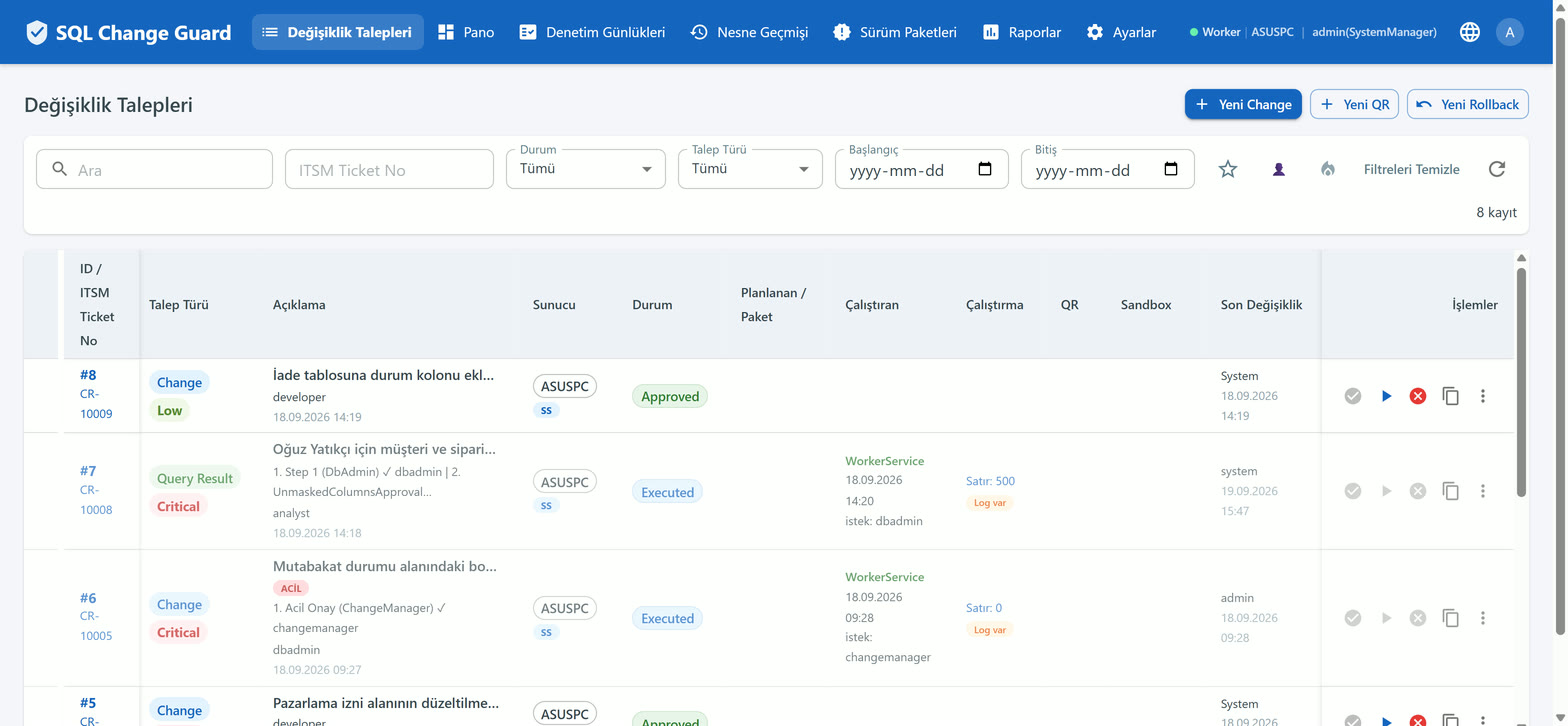
    Every piece of work that will touch production, in one list

    Request number, target server, risk band, which approval step it waits on and whose desk it sits on, all in one row. Emergency requests and those with a rollback plan are marked with badges.
    SQL Change Guard ekran goruntusu.
    Step 2

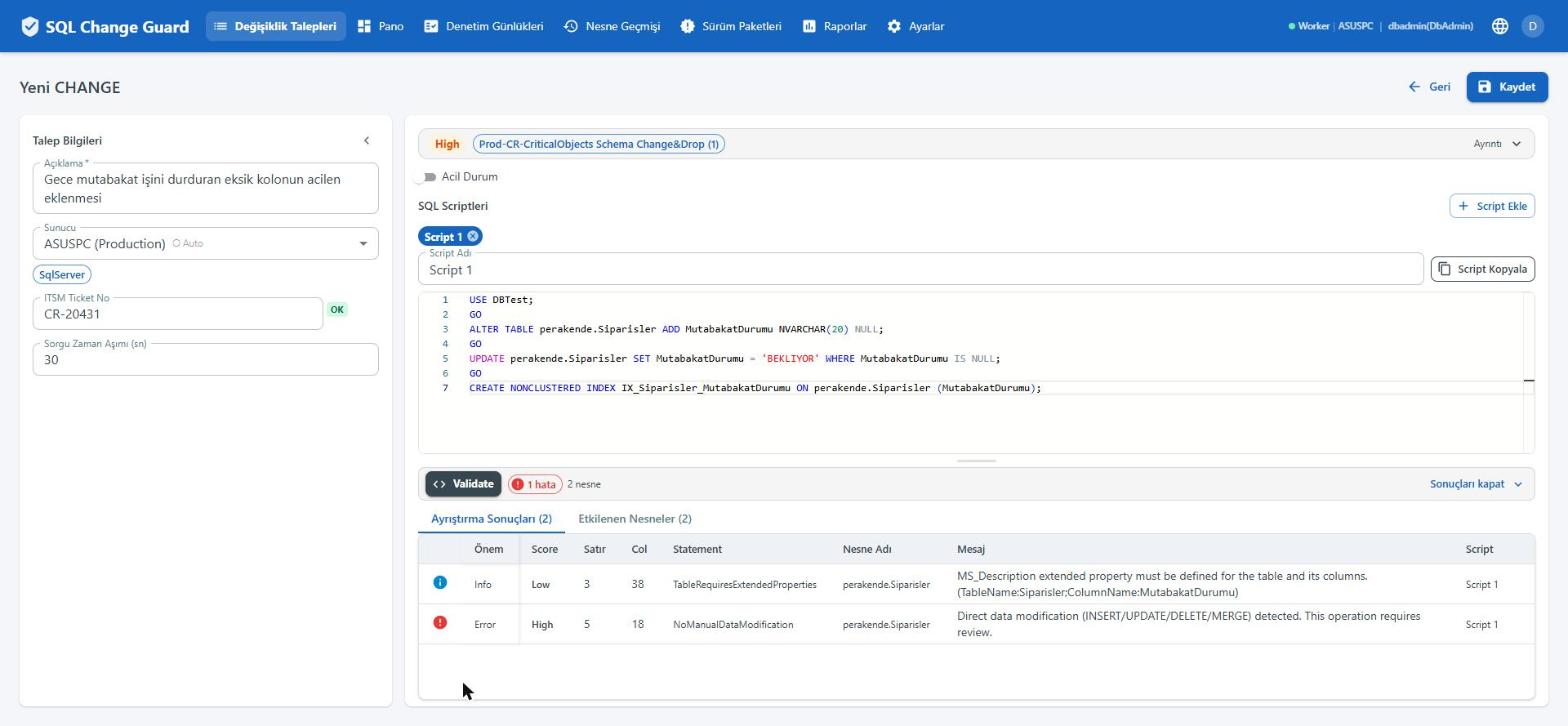
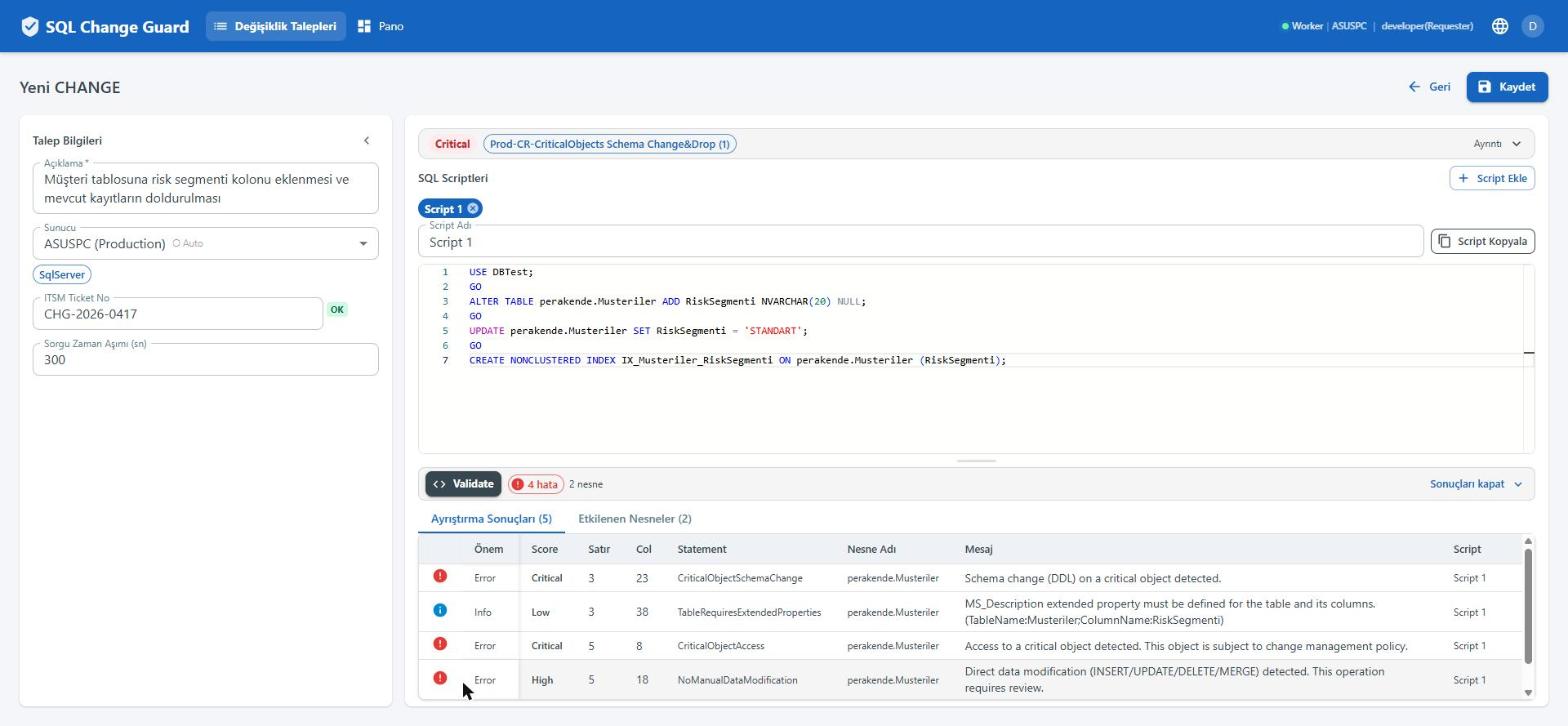
    The script is parsed and the risk band is computed

    The script is parsed with the real grammar of its database type. Triggered rules are listed with line and column numbers. The risk band is the highest finding triggered; nothing is averaged.

    SQL Change Guard ekran goruntusu.
    Step 3

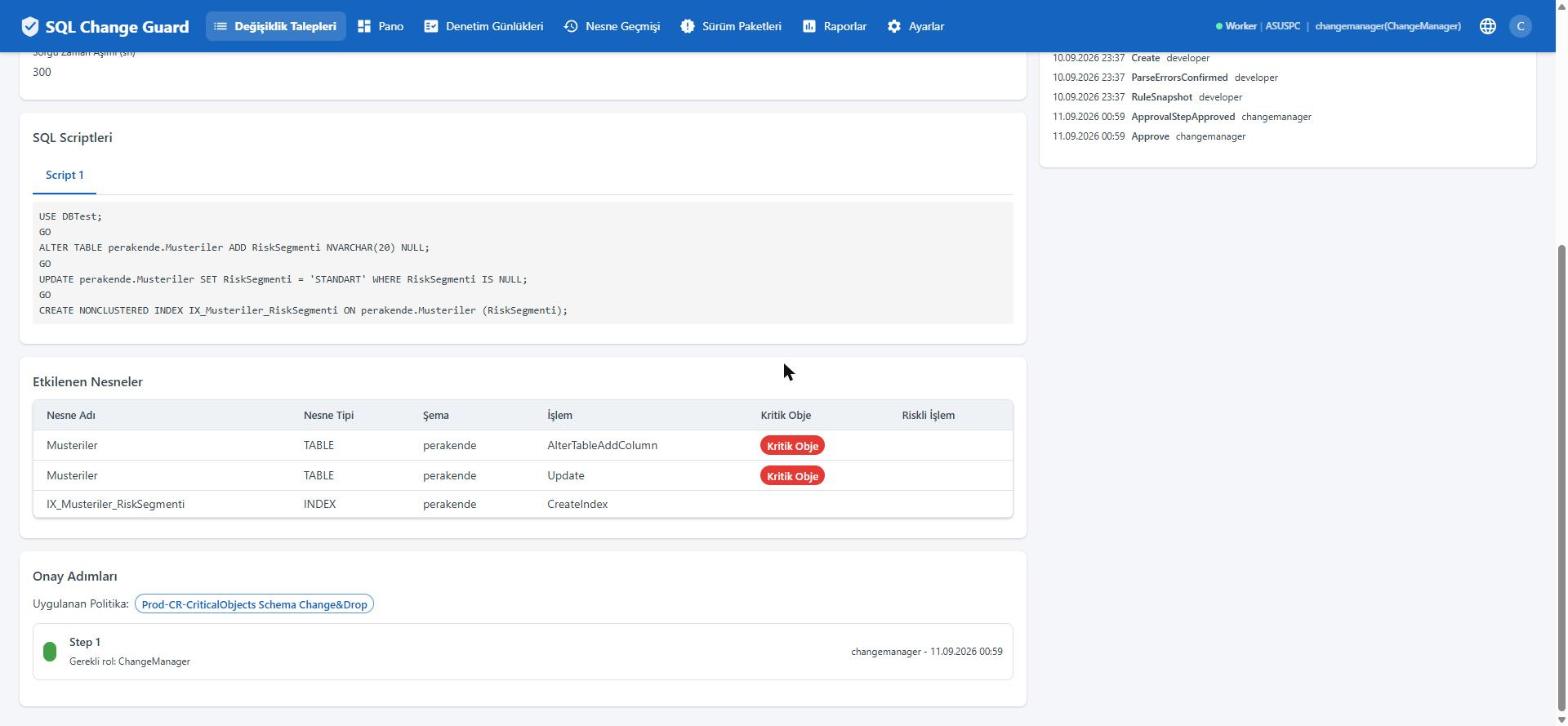
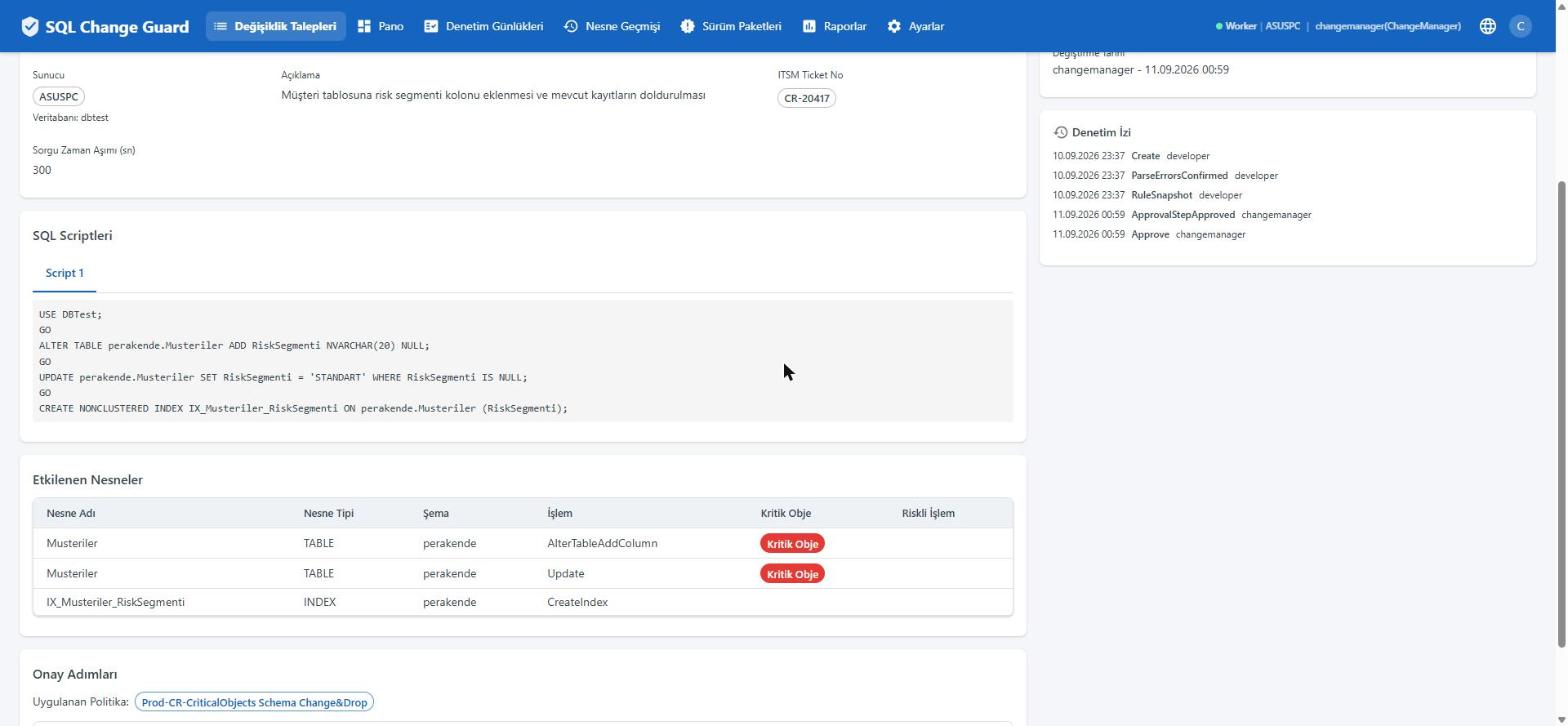
    Which objects will be touched is known in advance

    Every object the script will touch is listed together with the operation type. Objects your organisation marks as critical carry a badge, and that badge changes the approval path.

    SQL Change Guard ekran goruntusu.
    Step 4

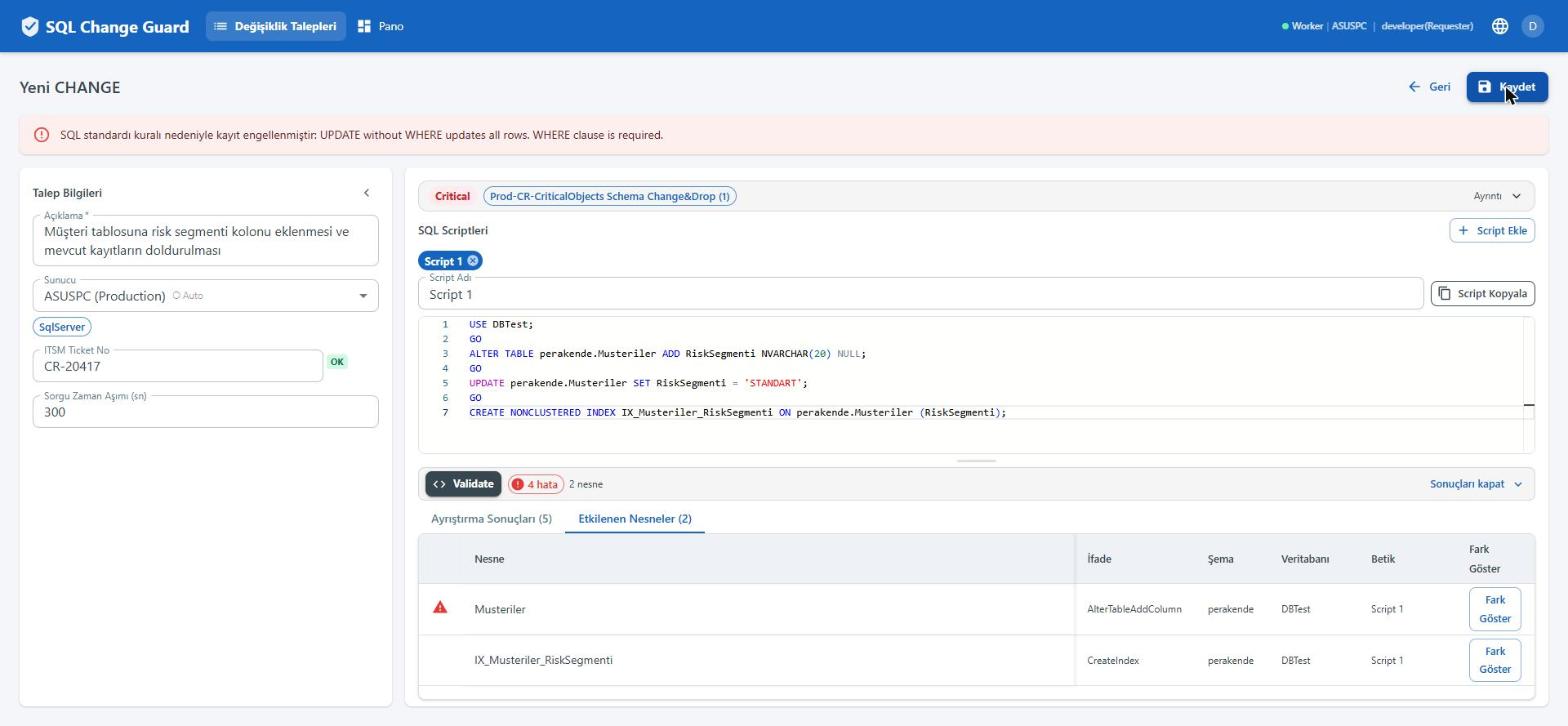
    A rule stops the work before it is even saved

    If a blocking finding is present, such as an UPDATE without a WHERE clause, the request cannot simply be saved. The user sees the finding and has to confirm it deliberately, and that confirmation is recorded too.

    SQL Change Guard ekran goruntusu.
    Step 5

    The approval path is built from the content of the request

    Which policy applied, how many steps there are and which role can close each one. Steps are triggered by a risk band or a rule key. A step marked non skippable cannot be passed by seniority.

    SQL Change Guard ekran goruntusu.
    Step 6

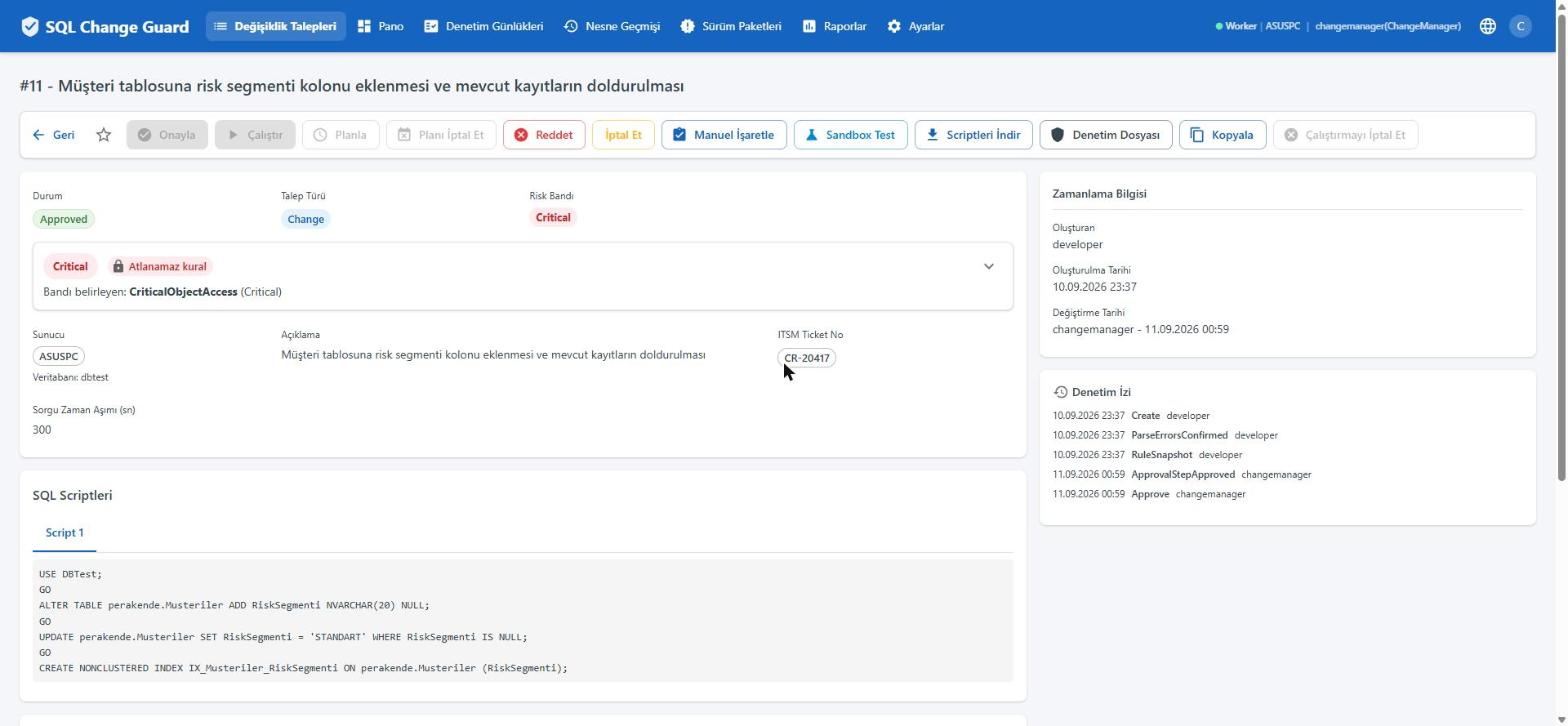
    For the approver, the execute button stays closed

    The person who approves cannot execute. The rule is enforced on the button itself rather than in a document. Hovering the disabled button tells you why.

    SQL Change Guard ekran goruntusu.
    Step 7

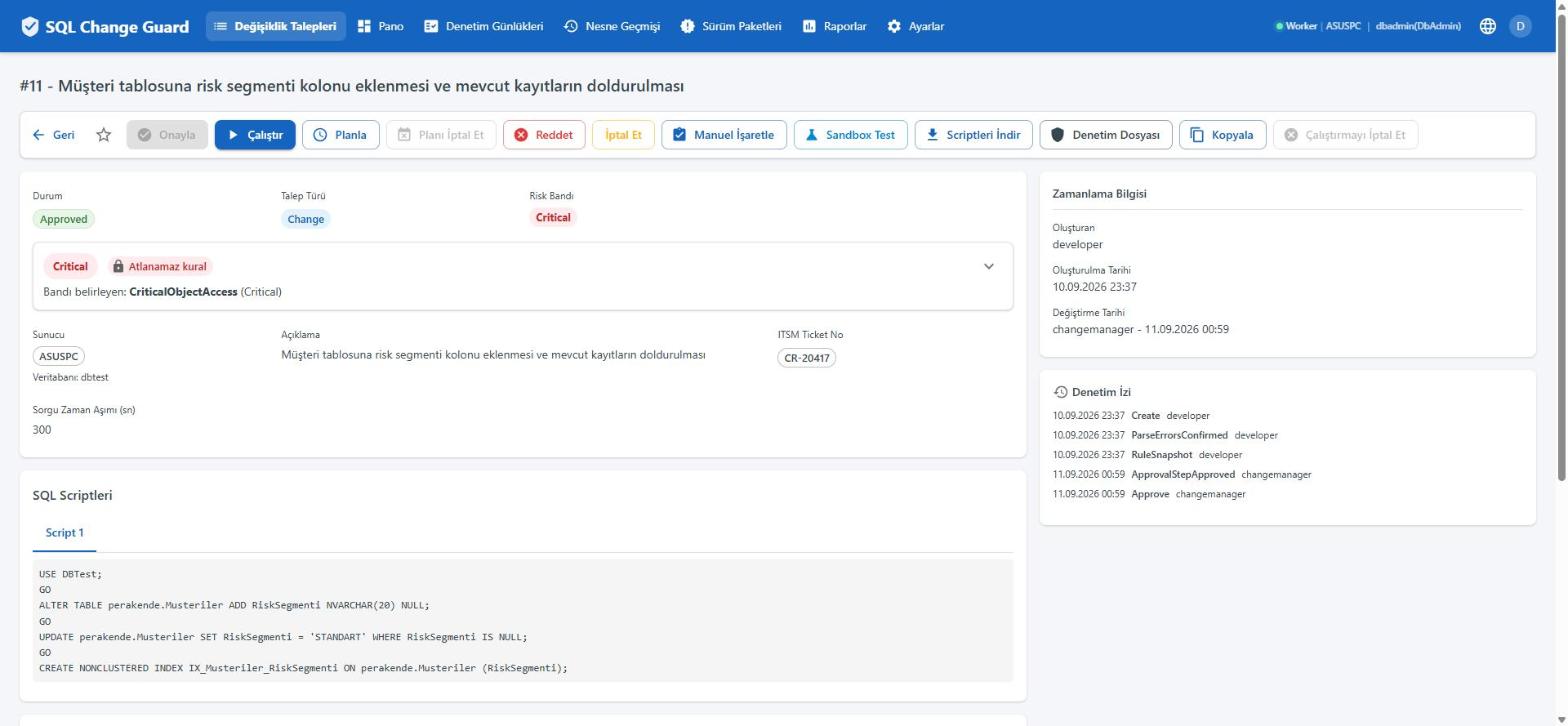
    For the executor, the approve button is closed as well

    The same screen shows the mirror image for the person who may execute. Segregation of duties works both ways, and the two screens side by side are enough for an auditor on their own.

    SQL Change Guard ekran goruntusu.
    Step 8

    The person who pressed the button and the process that ran are recorded separately

    Execution is queued and carried out by the service. The record holds the person who started it, the process that ran it and the number of rows affected.

    SQL Change Guard ekran goruntusu.
    Step 9

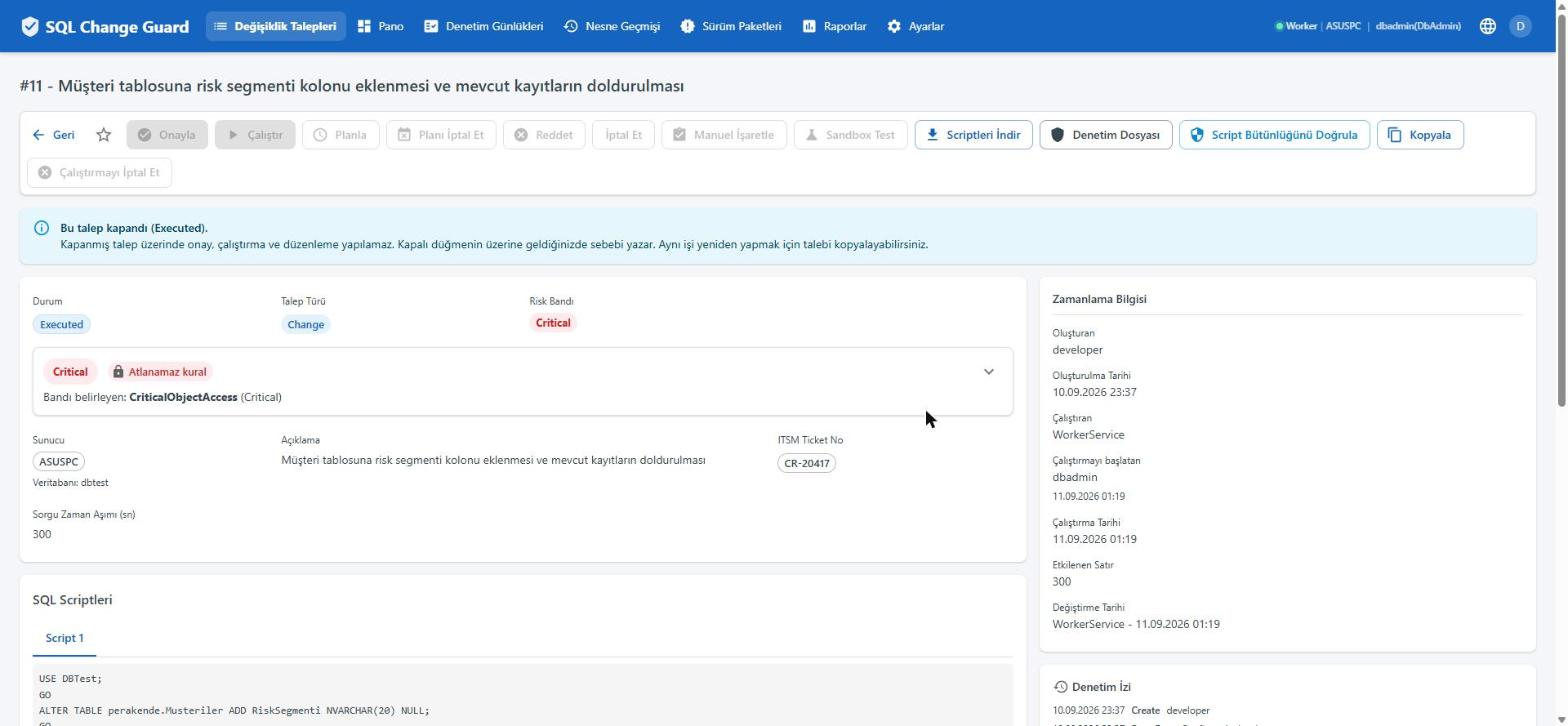
    The approved text is compared with the text that ran

    The hash taken at approval time and the hash at execution time are shown side by side. This answers the question most often asked in an audit and least often provable.

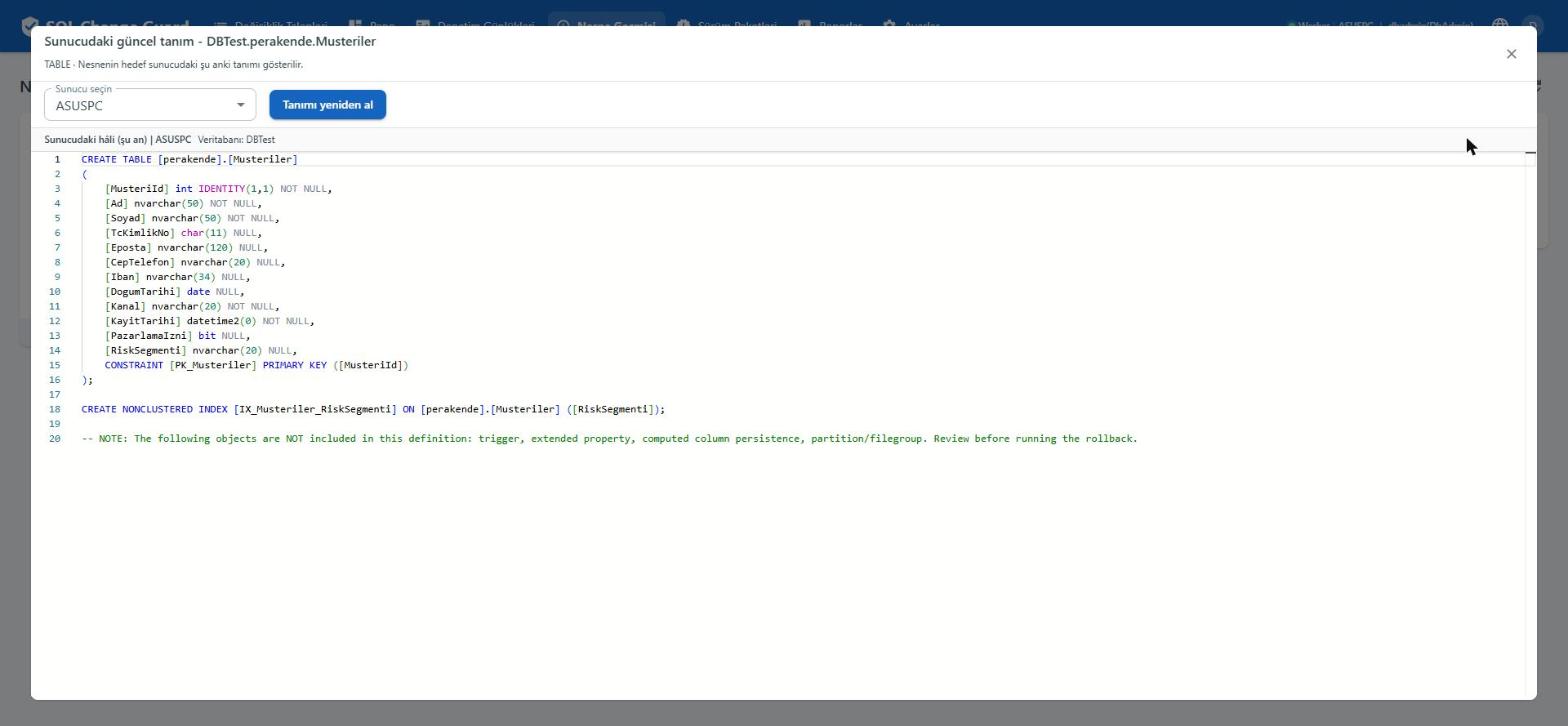
    SQL Change Guard ekran goruntusu.
    Step 10

    Did the change really land on the server

    The current definition of the object is read from the target server. The added column and index appear inside it. The comparison is made against the server itself, not a file in a repository.

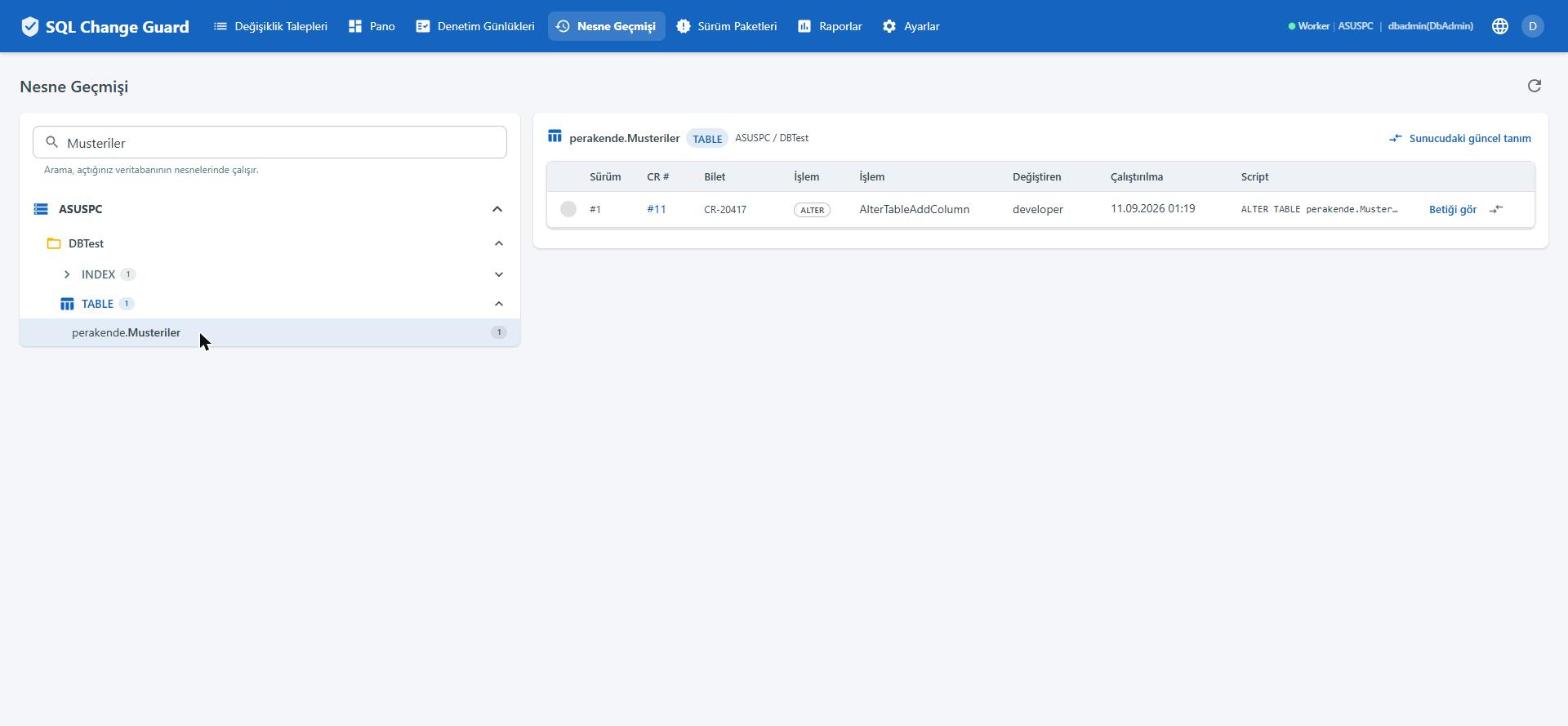
    Bu kolon nereden geldi. SQL Change Guard ekran goruntusu.
    Step 11

    Where did this column come from

    Object history answers it on one screen: which version, which request, which ticket, when and by whom. No archaeology is needed during an incident review.

    SQL Change Guard ekran goruntusu.
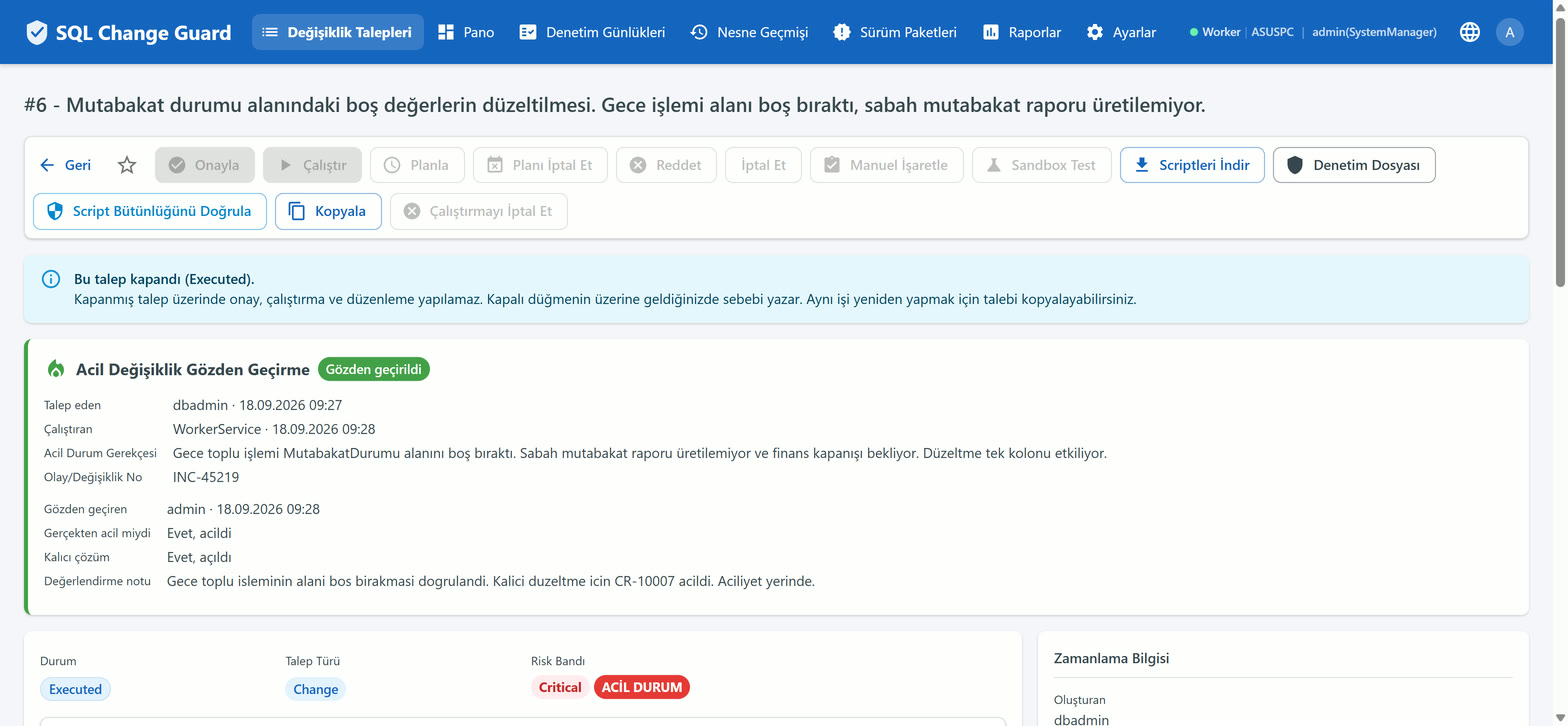
    Step 1

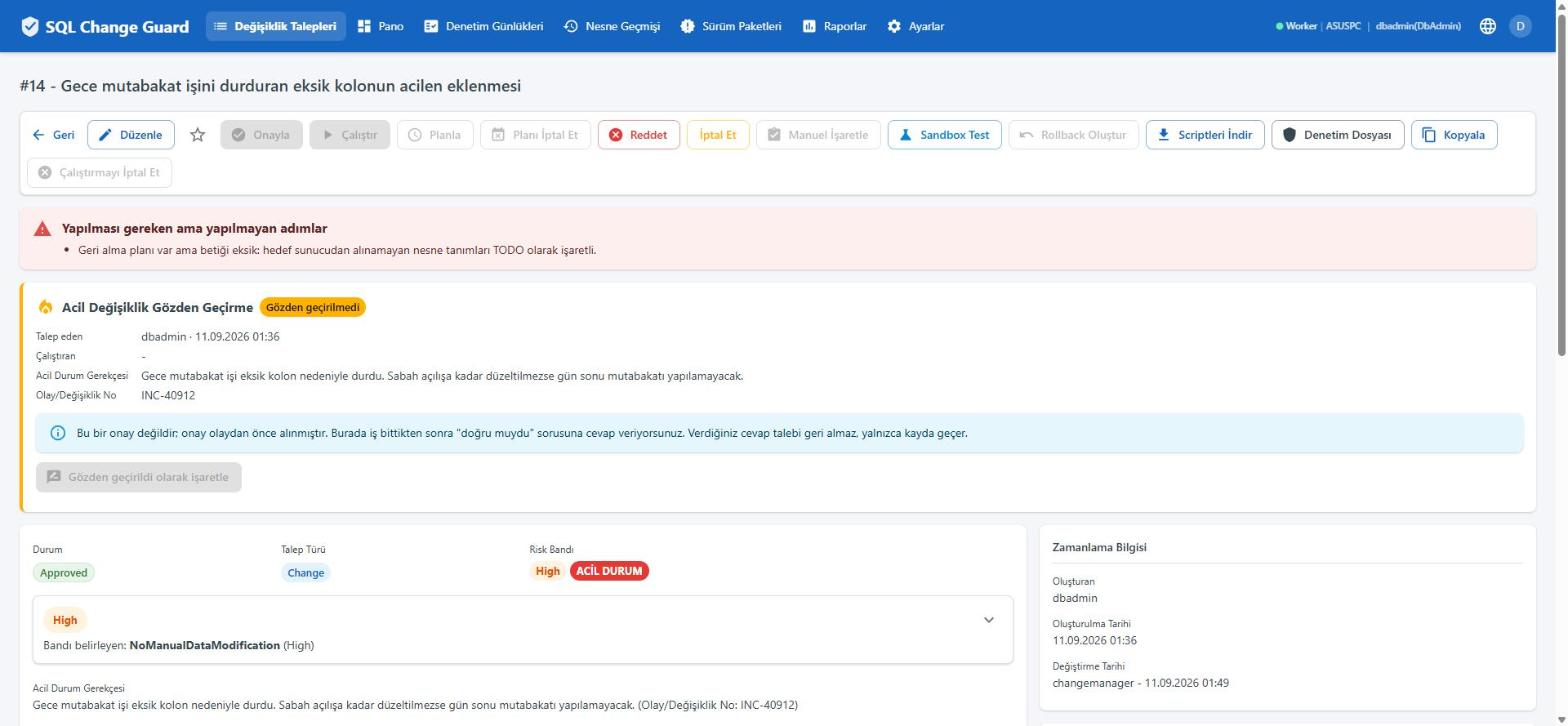
    Urgency does not switch the controls off

    An emergency request goes through the same rule set. Findings such as a missing row limit, a missing database context or a manual data change surface exactly the same way.

    SQL Change Guard ekran goruntusu.
    Step 2

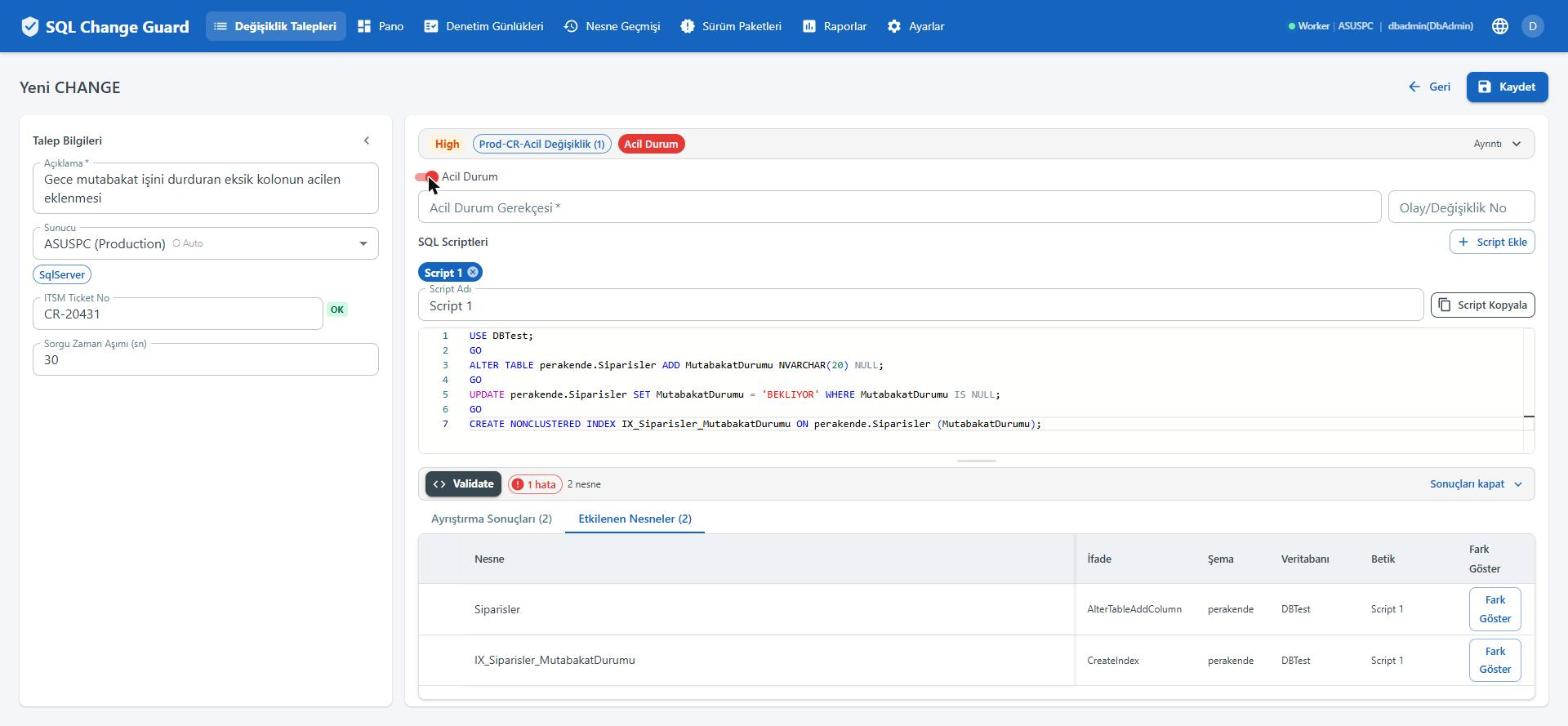
    Turning on the emergency switch changes the policy

    The moment the switch is on, the applied approval policy is replaced by the emergency policy and two mandatory fields appear. The switch only shows when an emergency policy is mapped to that server.

    SQL Change Guard ekran goruntusu.
    Step 3

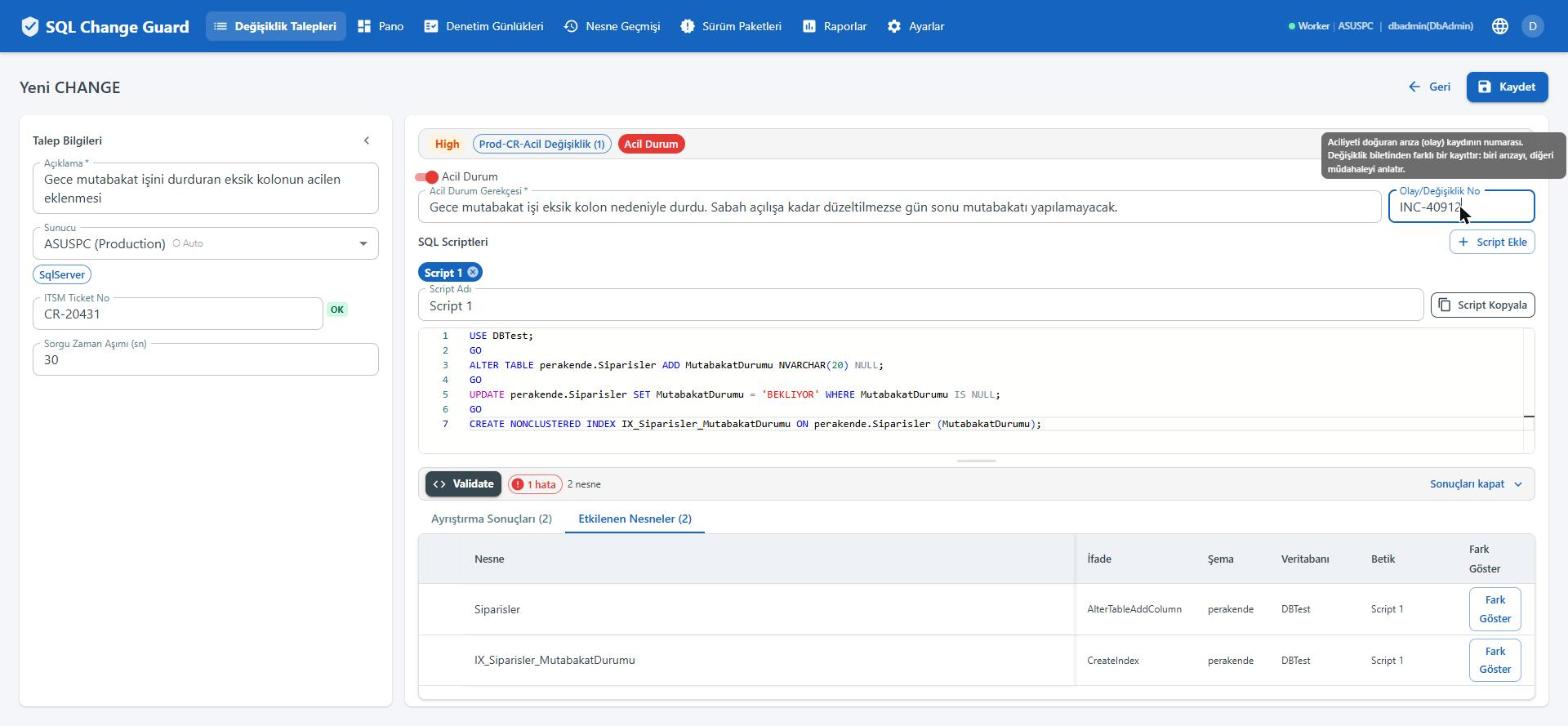
    A reason and an incident number are mandatory

    The request cannot be saved without stating why it is urgent and which incident it belongs to. The change ticket and the incident number are separate fields: one describes the fault, the other the intervention.

    SQL Change Guard ekran goruntusu.
    Step 4

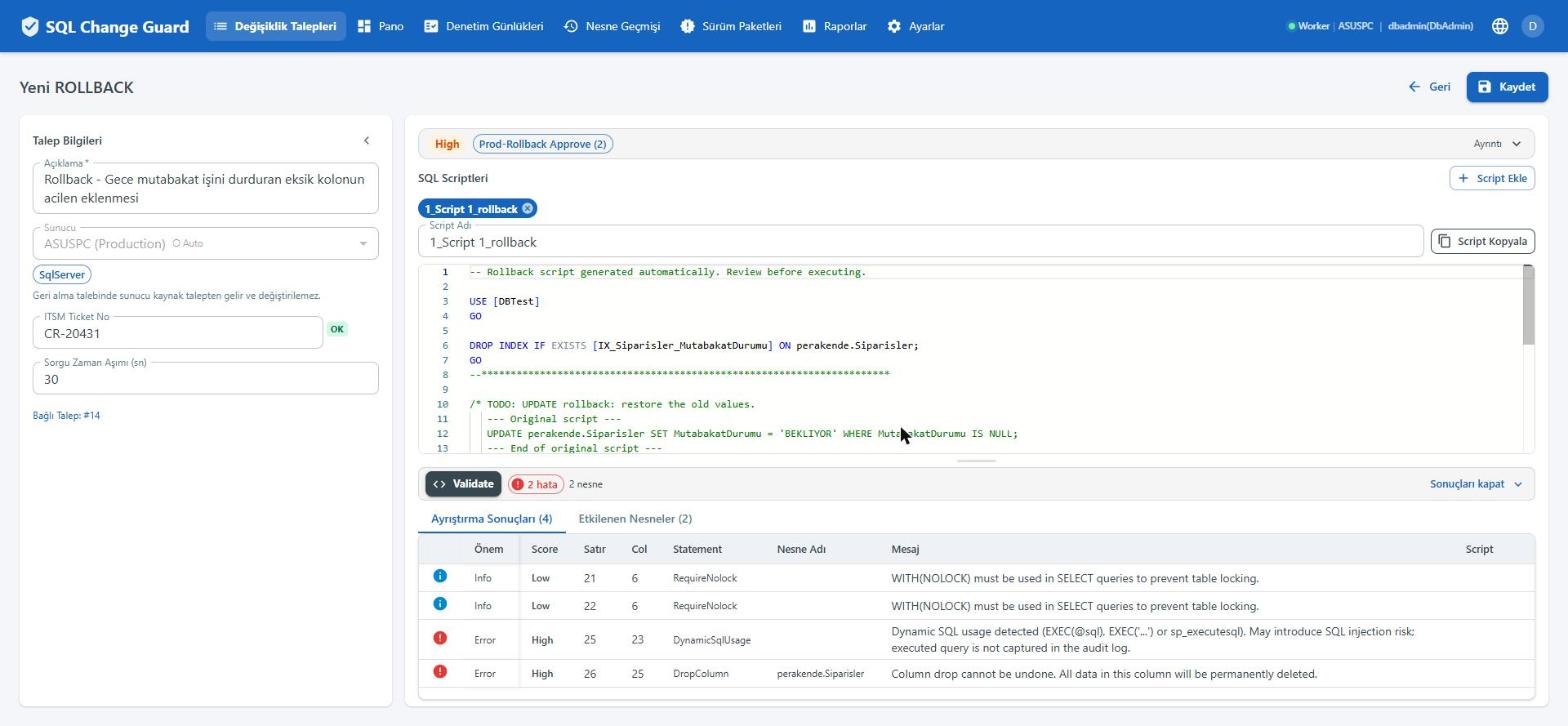
    The product drafts the rollback script itself

    The product drafts the rollback from the definition it reads off the target server. Where it cannot produce a statement it does not invent one; it marks the gap. The rollback is a separate request with its own policy.

    SQL Change Guard ekran goruntusu.
    Step 5

    An incomplete rollback plan stops the execution

    Even with the request approved, execution stays closed while the rollback script still has an unfinished part. The existence of a plan is not enough; its content has to be complete.

    SQL Change Guard ekran goruntusu.
    Step 6

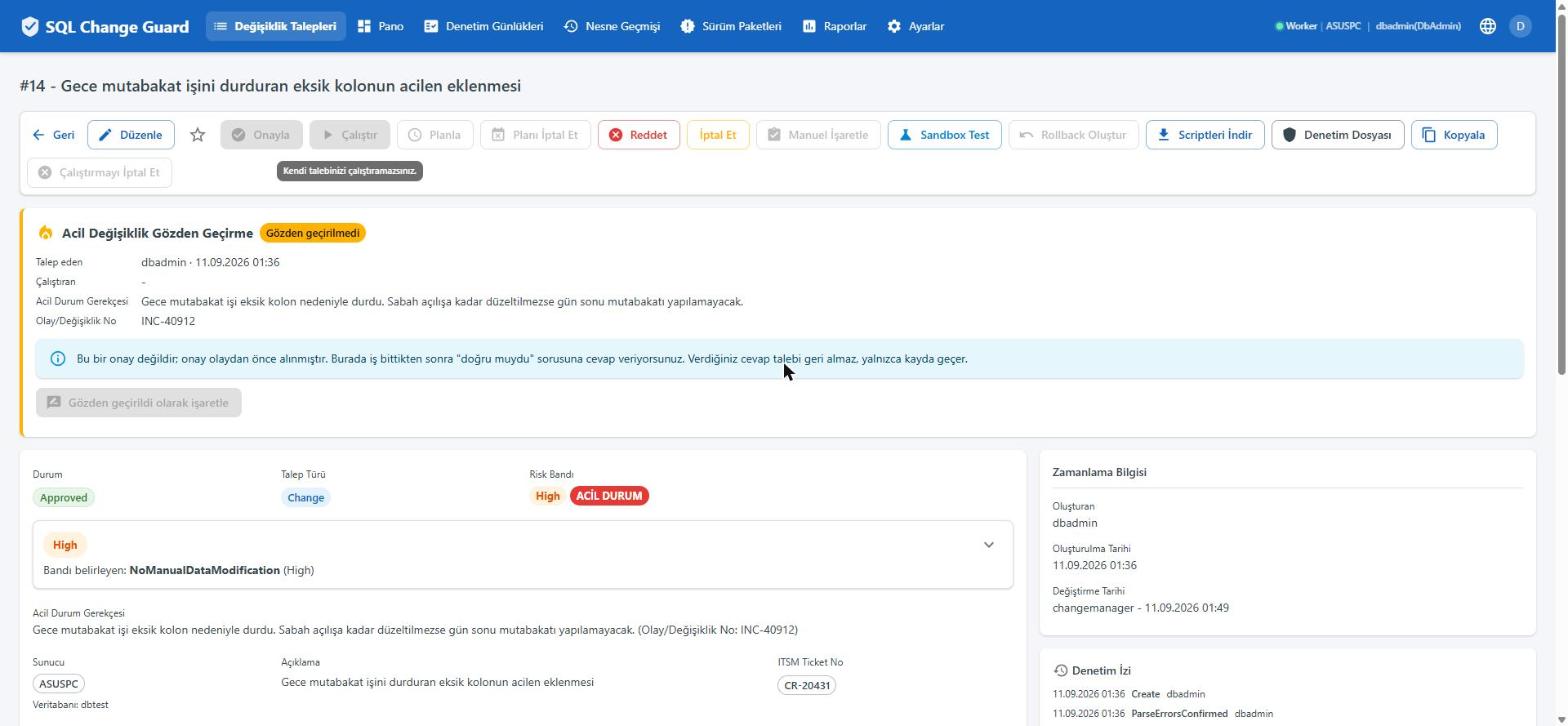
    The person on night duty cannot execute their own request

    The person who opened the request cannot execute it themselves, not even in an emergency. A second authorised person is required. The rule again sits on the button, with its reason.

    SQL Change Guard ekran goruntusu.
    Step 7

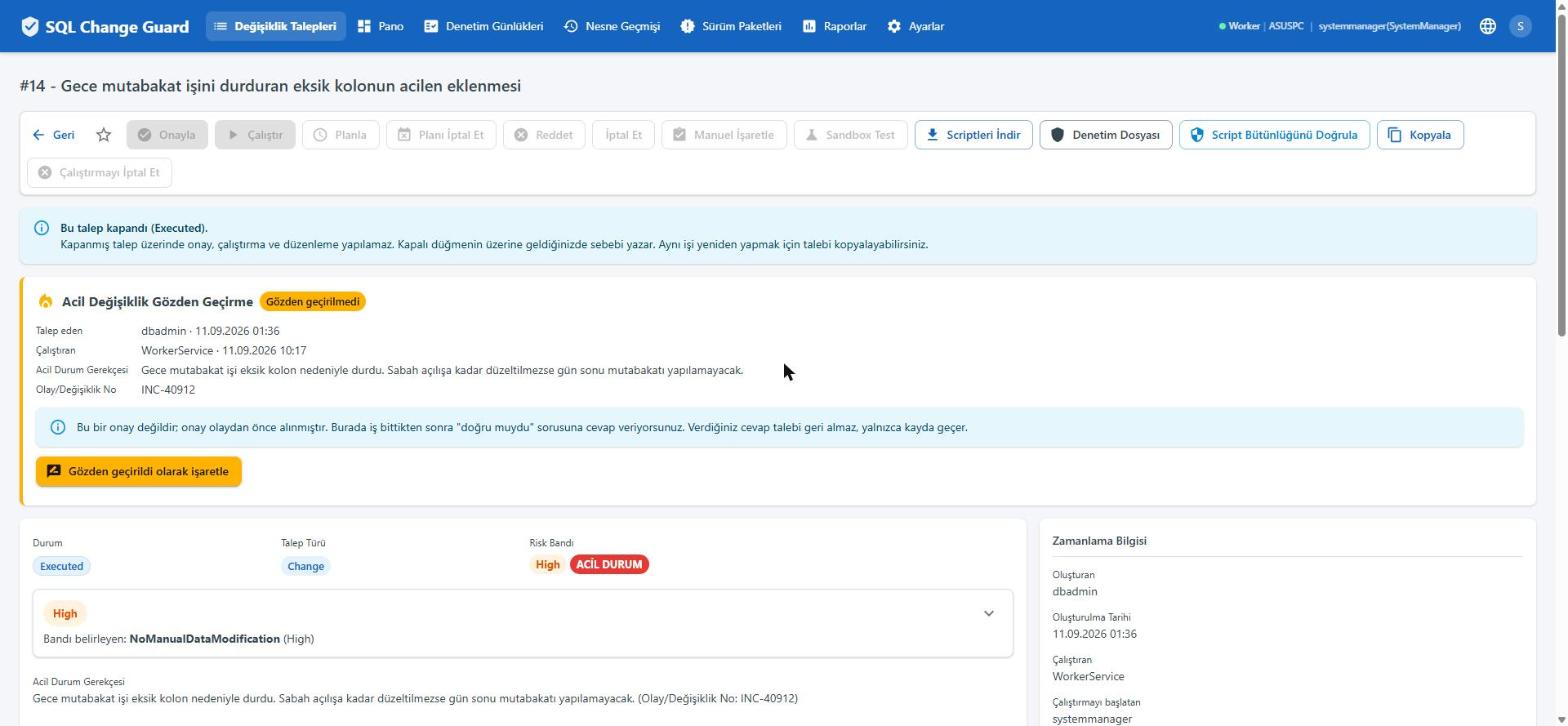
    Once the work is done, the question opens

    The moment execution completes, the post event review becomes available. This is not an approval; approval was taken before the event. Here the question answered is whether it was the right call.

    SQL Change Guard ekran goruntusu.
    Step 8

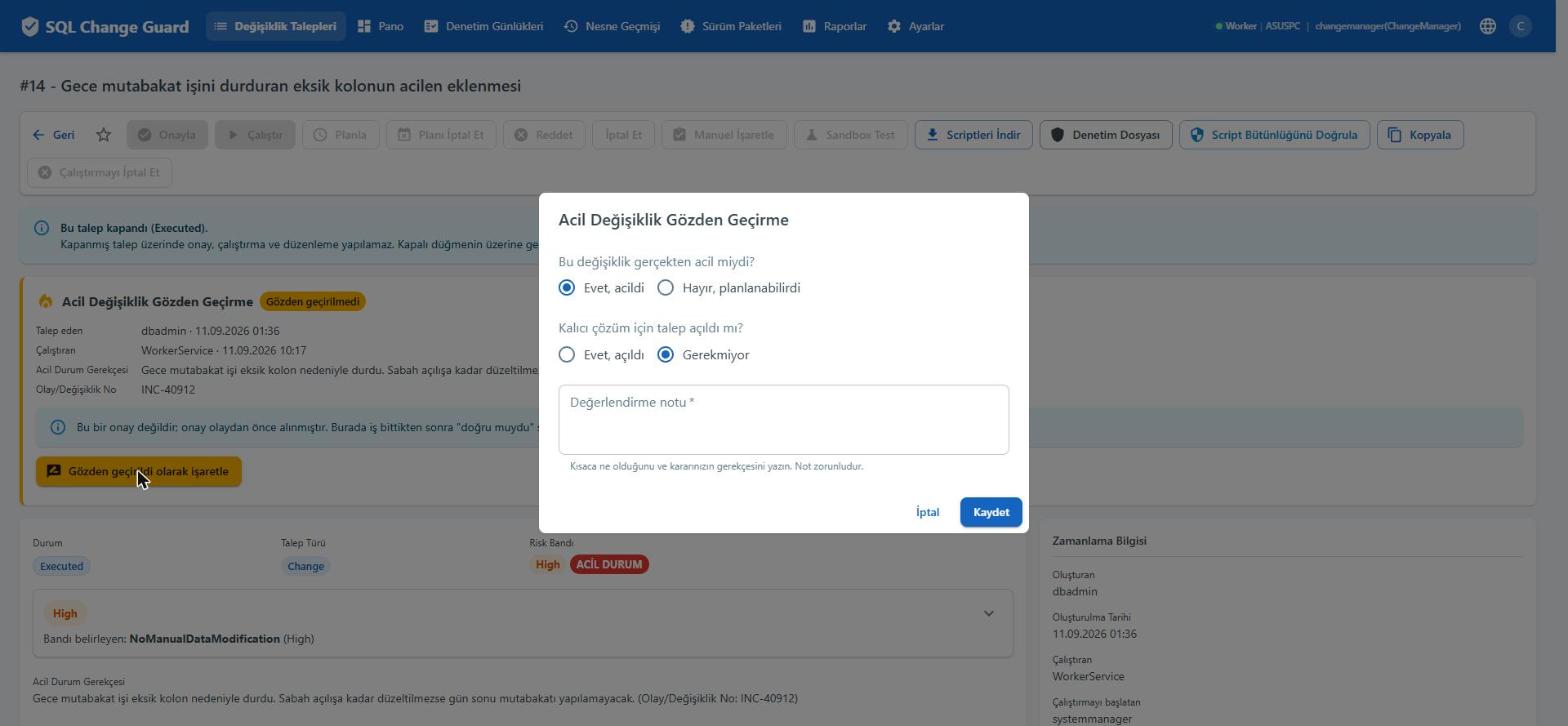
    Two questions and one note

    Was it genuinely urgent, and was a request opened for the permanent fix. The assessment note is mandatory. The answer does not undo the request; it only goes on the record.

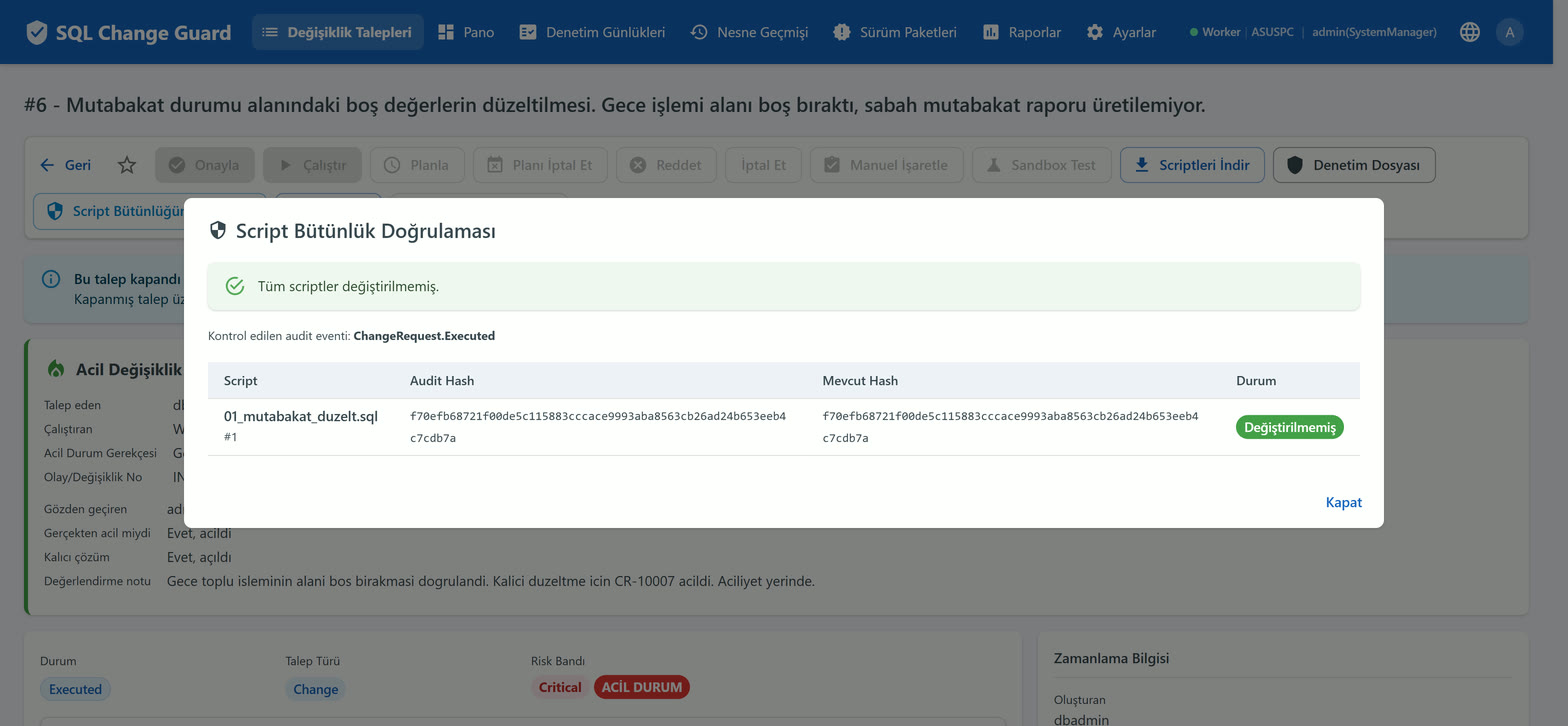
    SQL Change Guard ekran goruntusu.
    Step 9

    Correct use of emergency authority goes on the record

    Who reviewed it, when and on what grounds sits on the request. An auditor can see how many emergency requests were reviewed from a single report.

    SQL Change Guard ekran goruntusu.
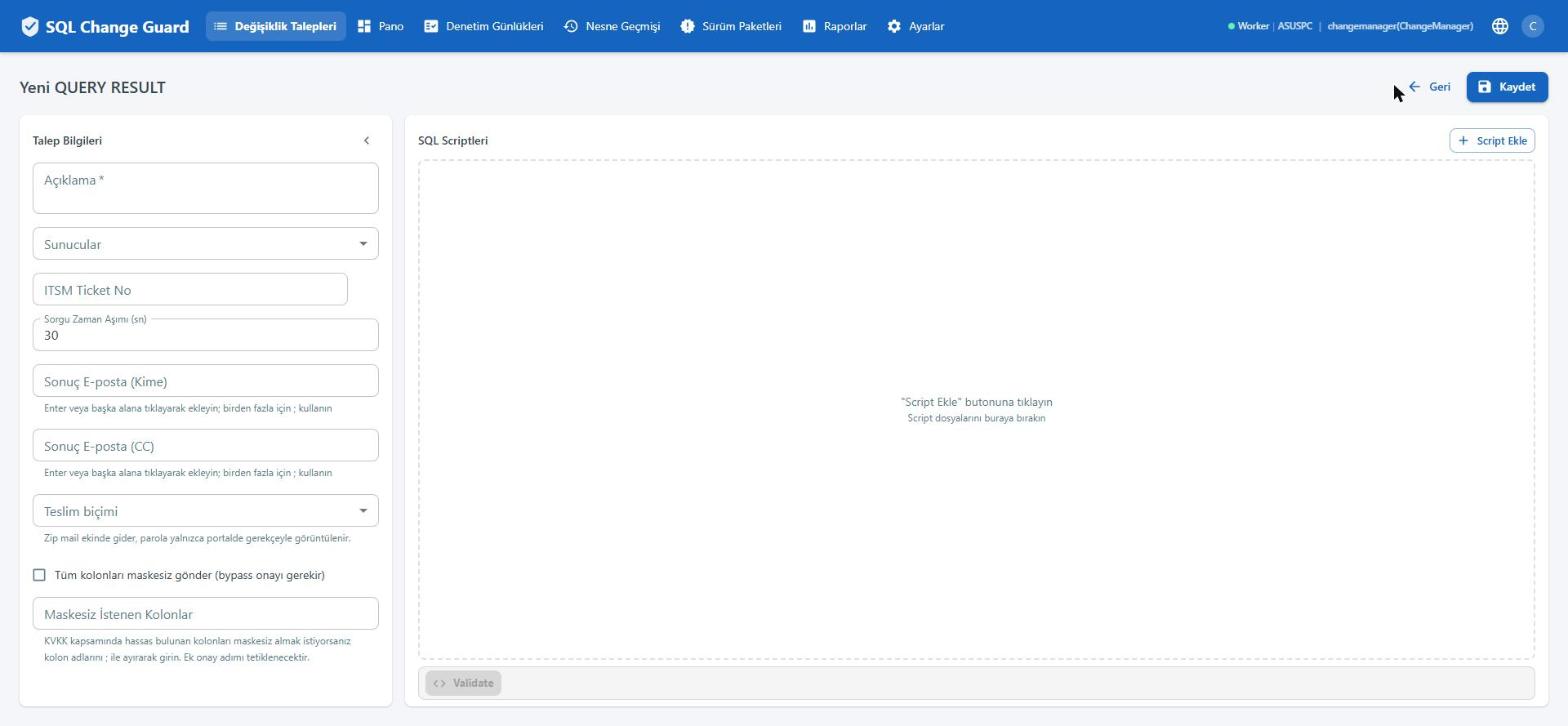
    Step 1

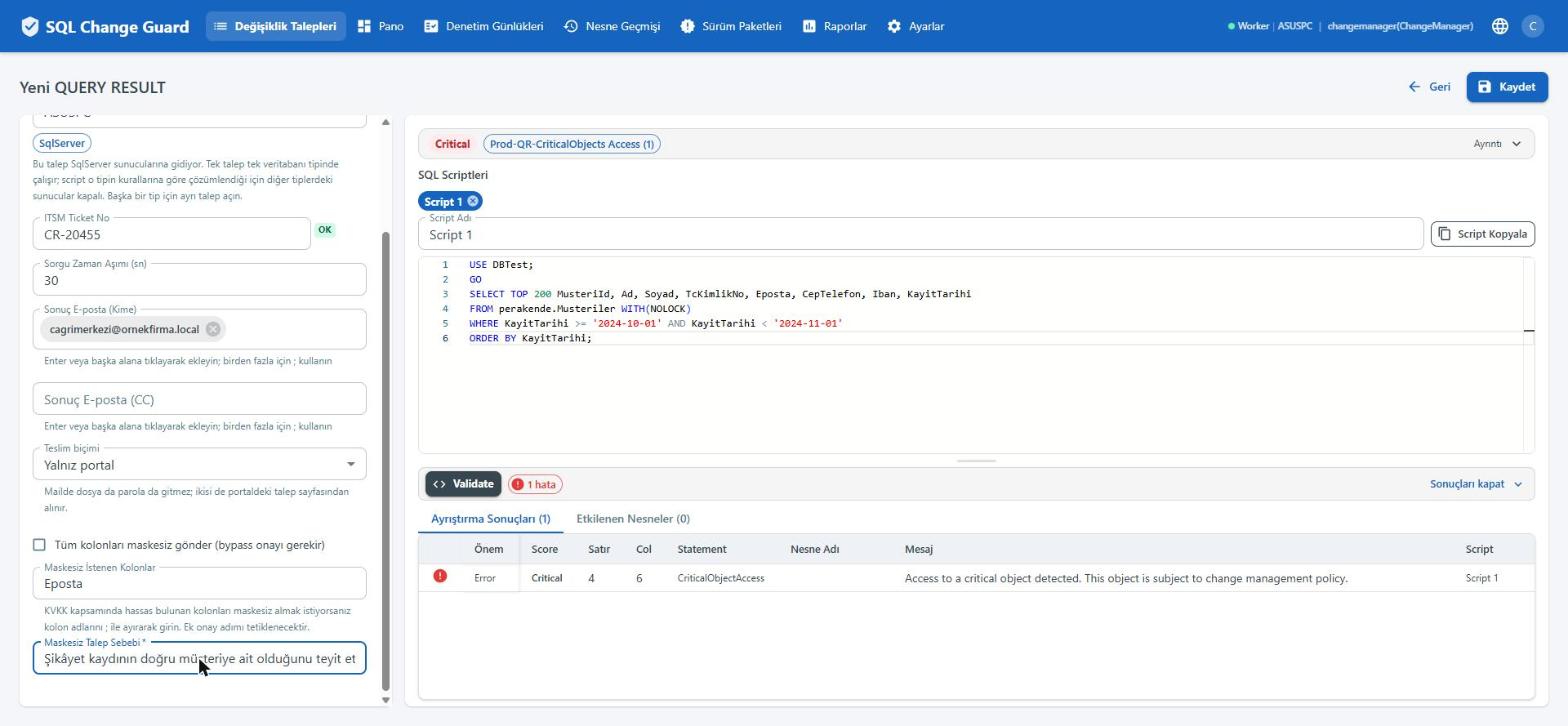
    Run this query and send me the result becomes a record

    The query, the business reason, the address the result will go to and the delivery method all sit on one request. The ticket number is validated against your format rule.

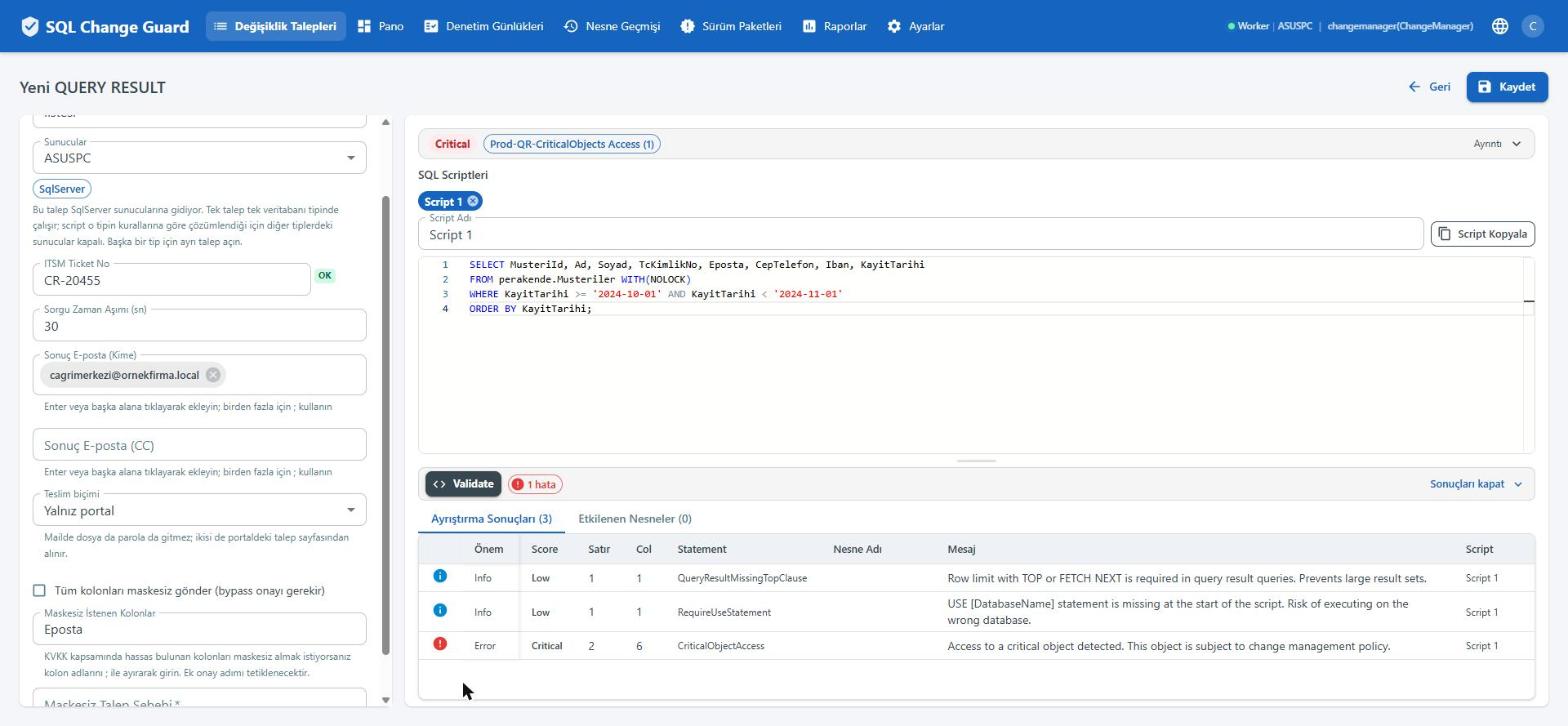
    SQL Change Guard ekran goruntusu.
    Step 2

    Reading passes the critical object check as well

    If the query touches a table marked critical, that is a finding and it sets the risk band. Missing pieces such as a row limit or a database context are stated here too.

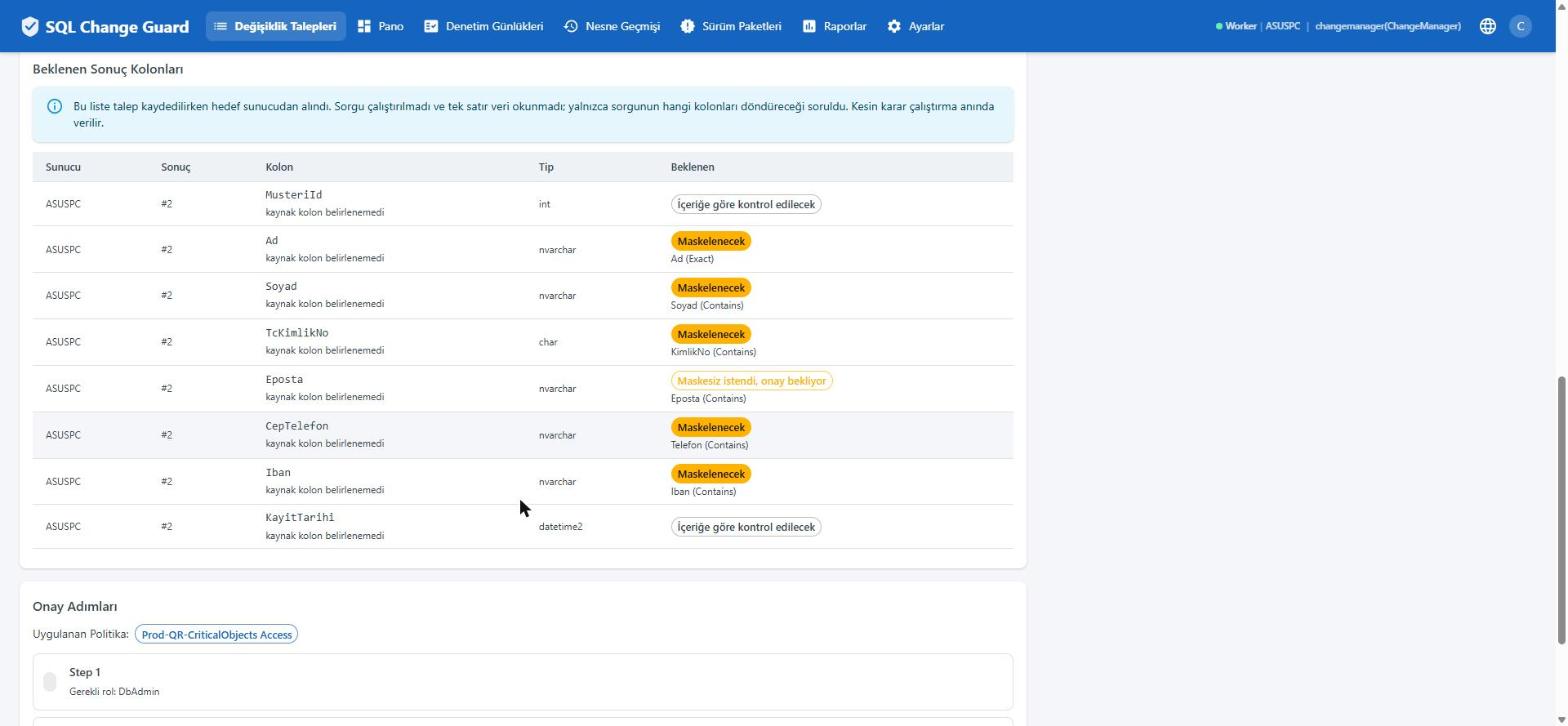
    SQL Change Guard ekran goruntusu.
    Step 3

    The masking decision is visible before the query runs

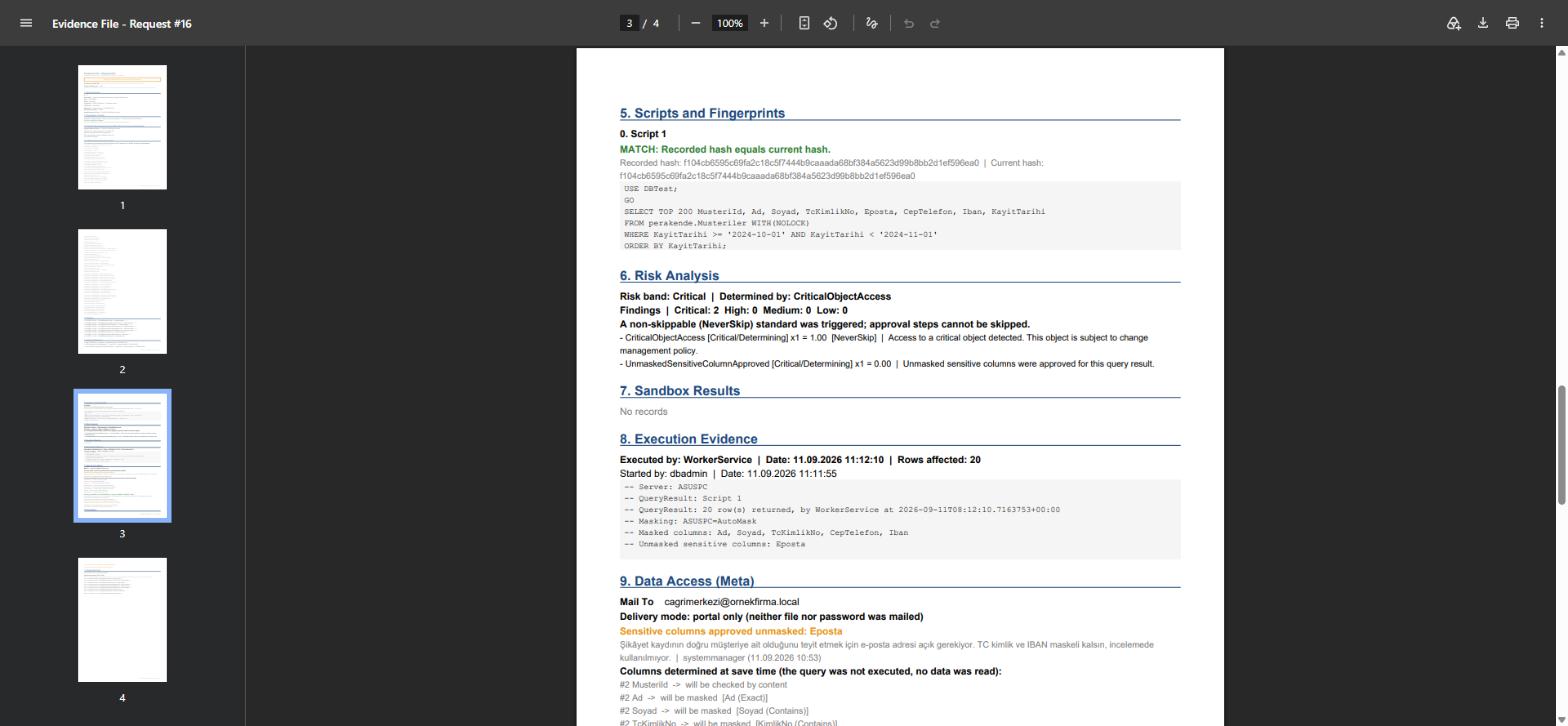
    The product asks the target server which columns the query will return, without reading a single row of data. Next to each column it states what will happen and which rule matched.

    SQL Change Guard ekran goruntusu.
    Step 4

    Asking for an unmasked column requires a justification

    If a column is wanted in the clear, which column and why has to be written. The request is automatically routed into an extra approval step.

    SQL Change Guard ekran goruntusu.
    Step 5

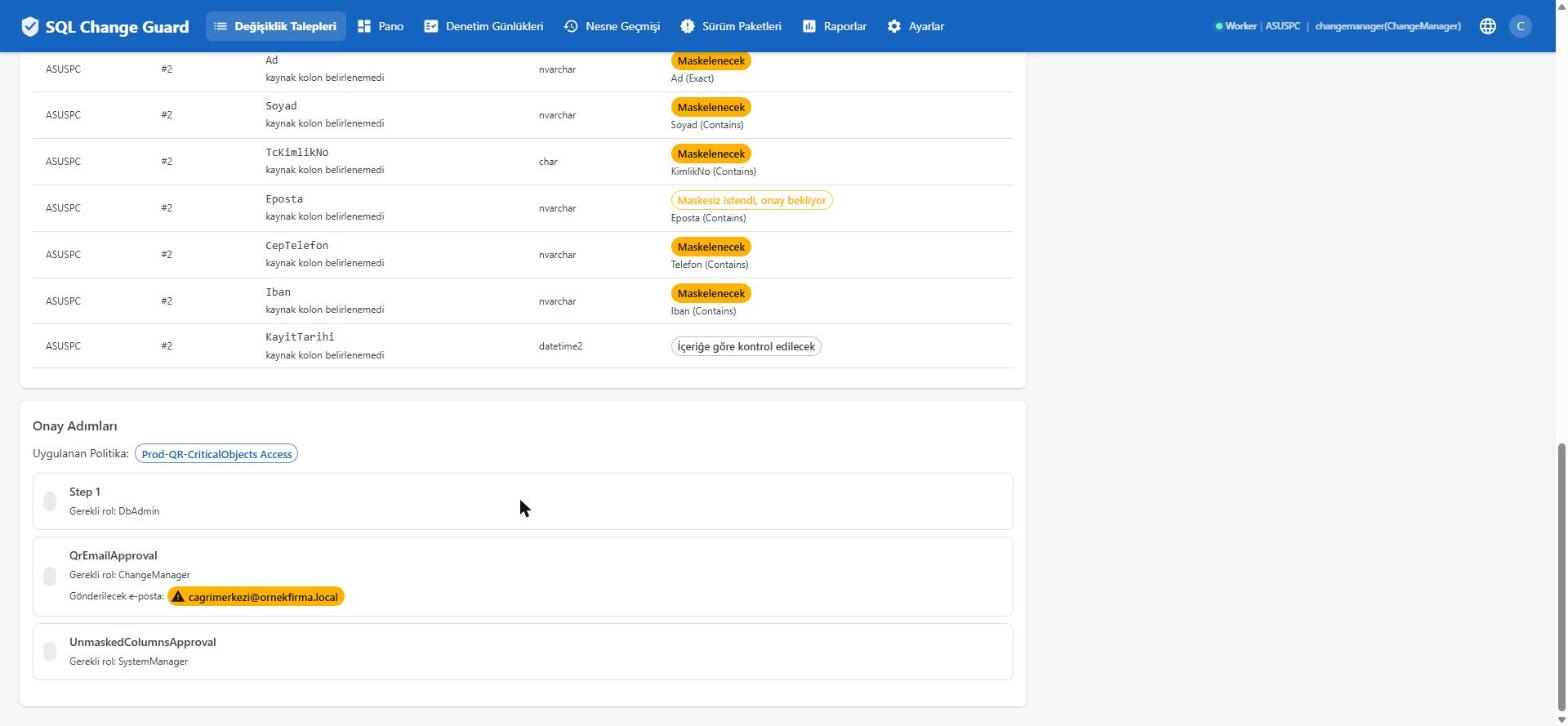
    The content of the request decides the approval steps

    Access to a critical table added one step, an unrecognised delivery address a second and the unmasked column request a third. None of them were added by hand.

    SQL Change Guard ekran goruntusu.
    Step 6

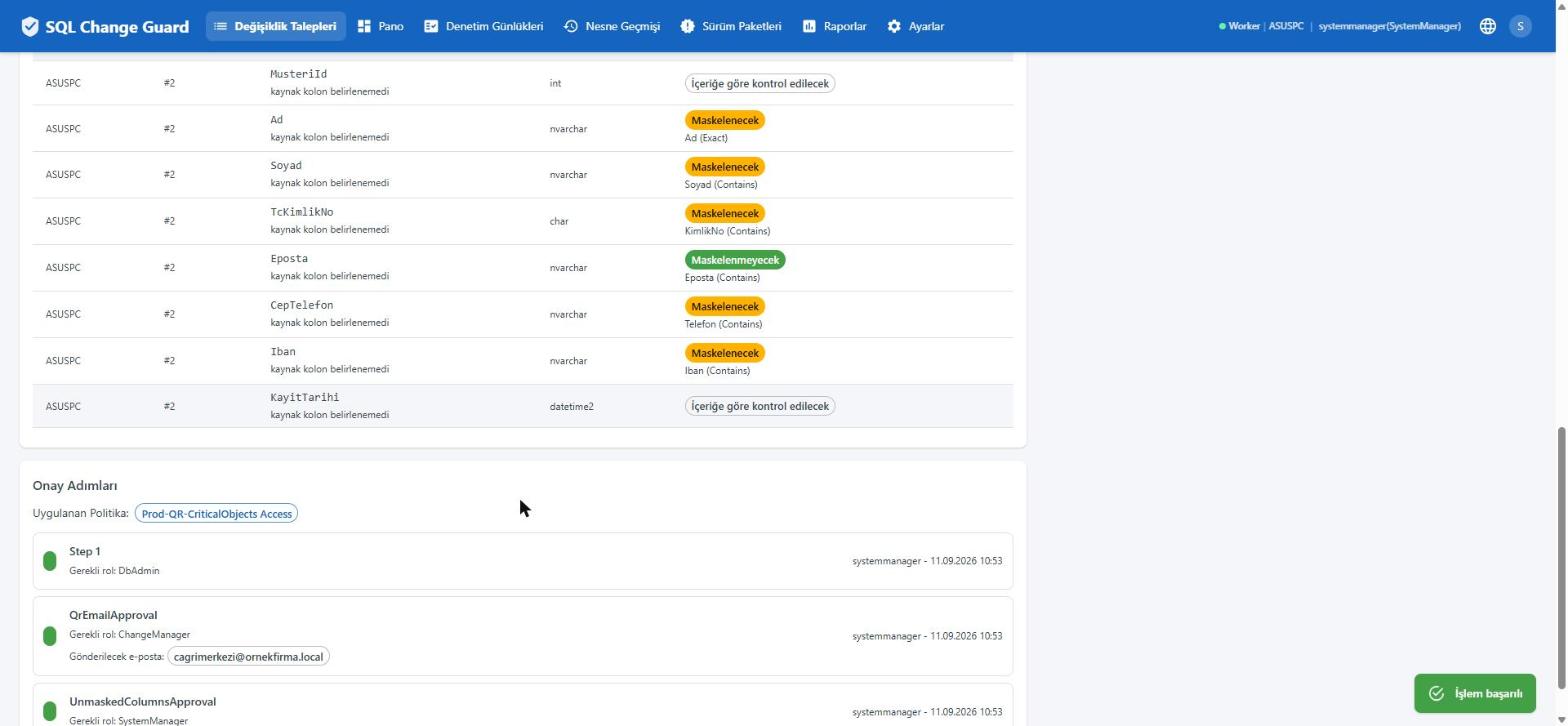
    After approval the decision changes in the table

    Once approved, only the requested column moves to open while the rest stay masked. The decision is not guessed at; it is read off the screen.

    SQL Change Guard ekran goruntusu.
    Step 7

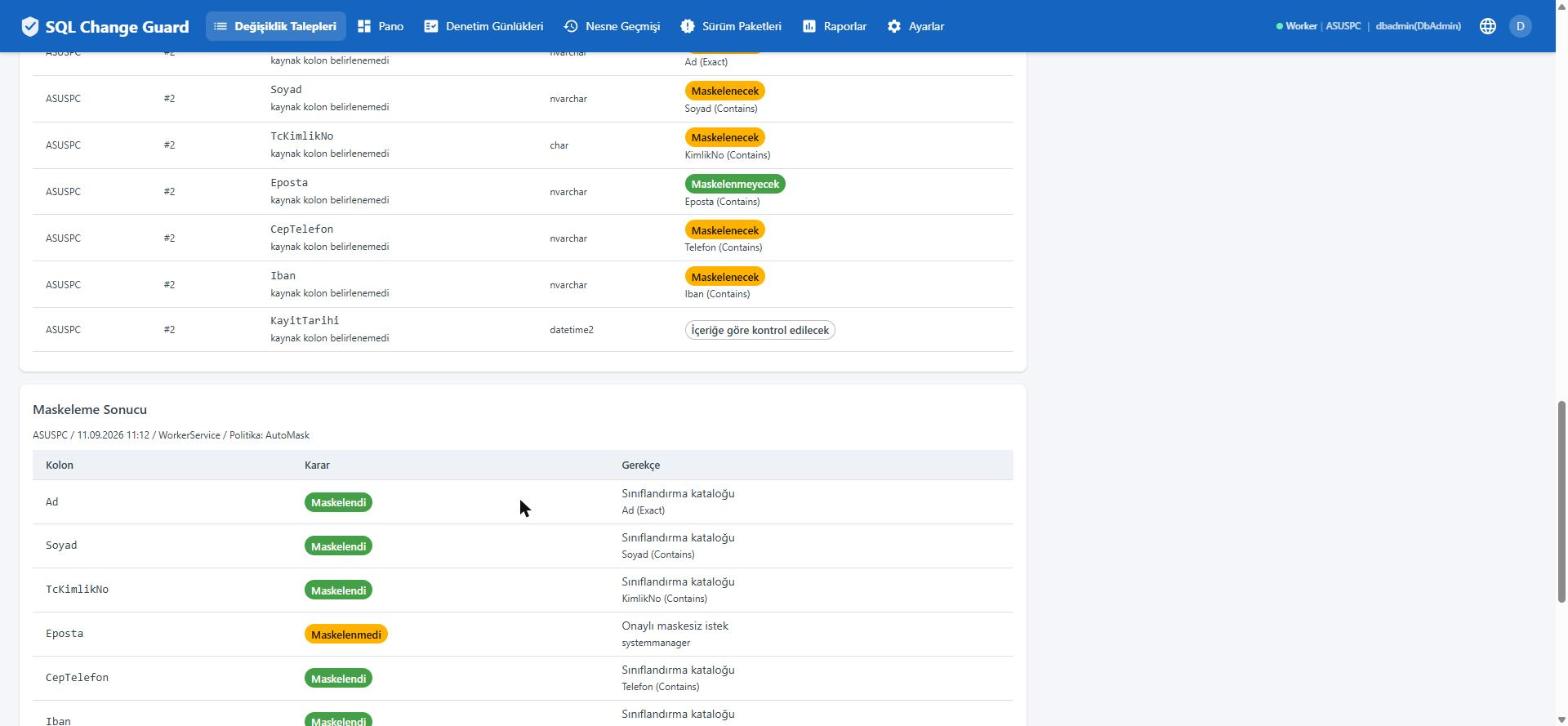
    Every column decision carries a reason

    The masking result table states the decision for each column and the reason behind it. Against the column left open stands the name of the person who approved it.

    SQL Change Guard ekran goruntusu.
    Step 8

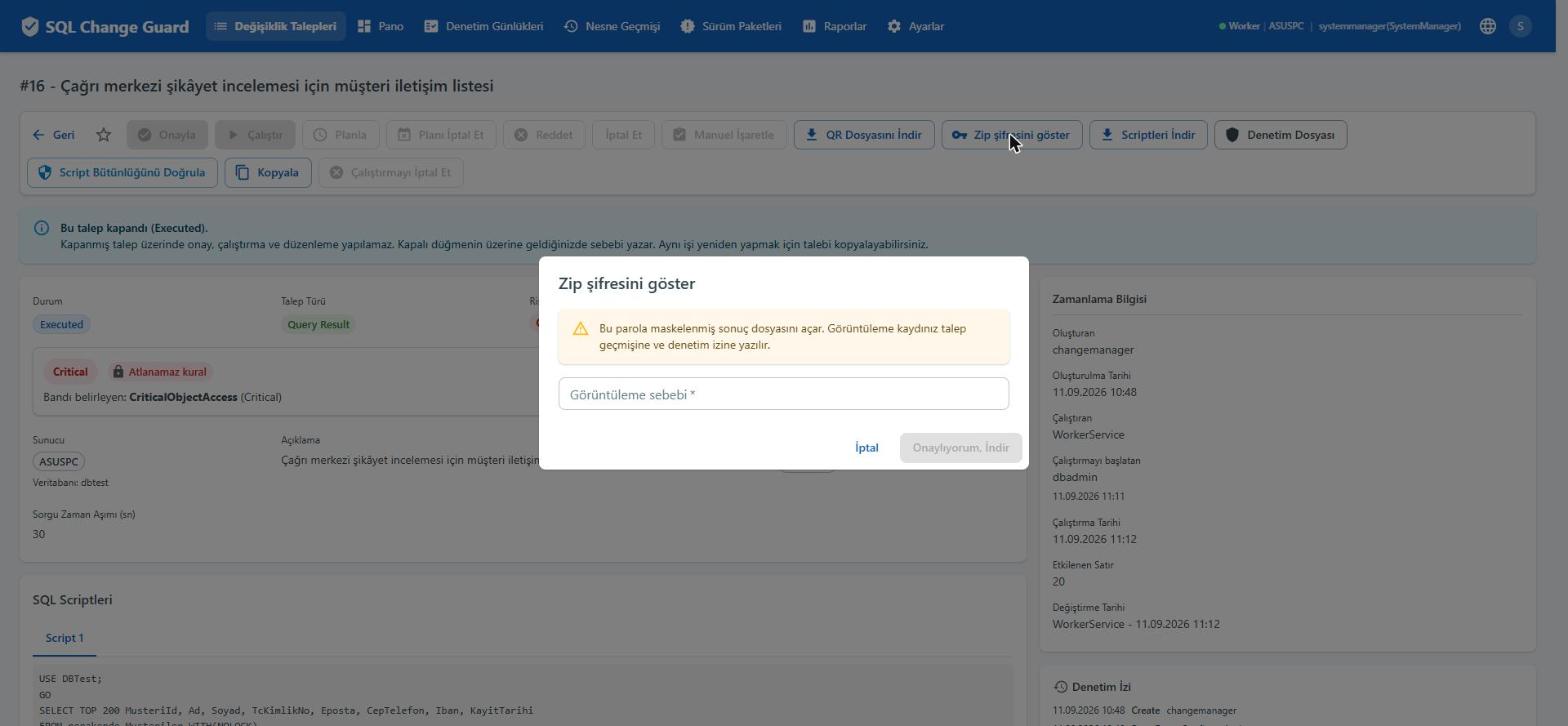
    Even seeing the password goes on the record

    The result file is password protected and the password is not shown without a stated reason. The viewing itself is written to the request history and the audit trail.

    SQL Change Guard ekran goruntusu.
    Step 9

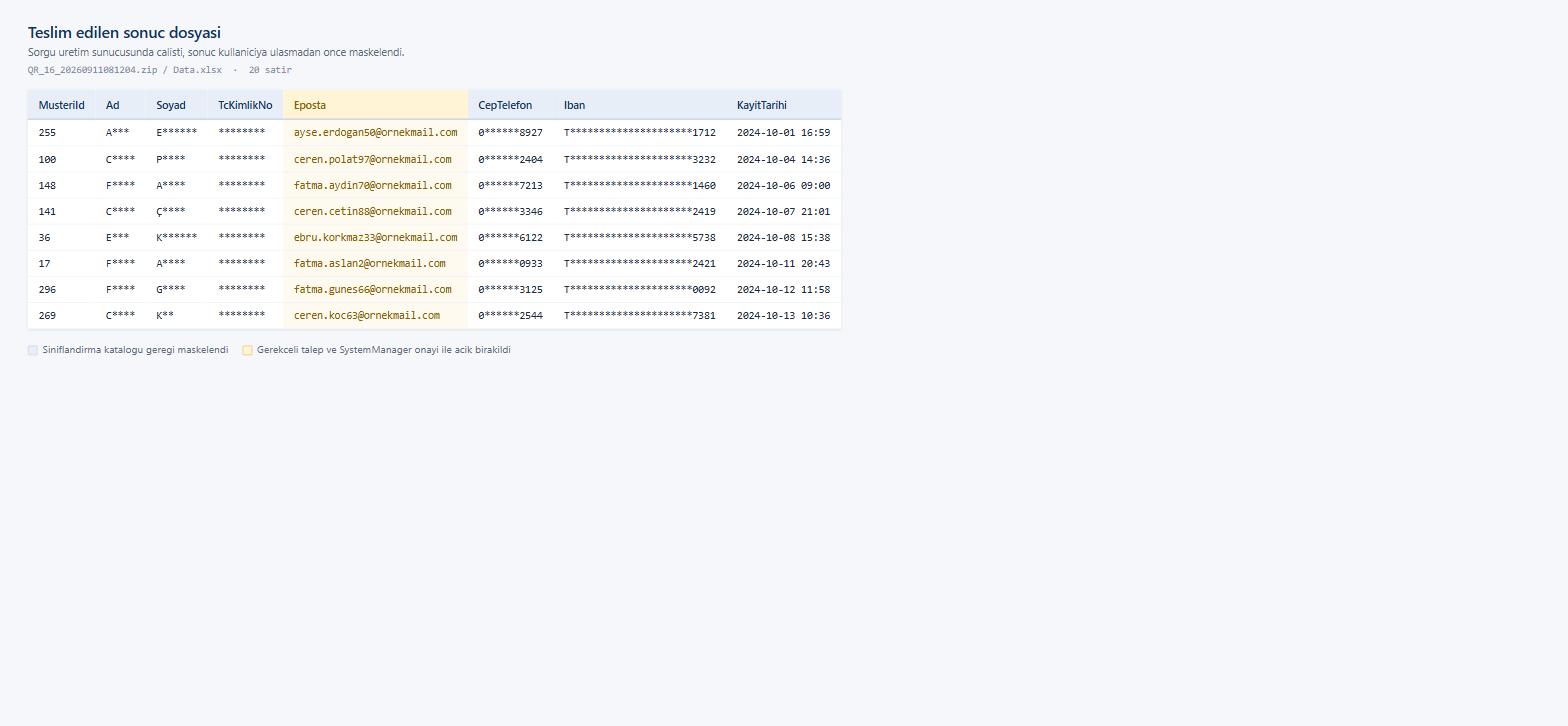
    The masking is inside the delivered file

    First name, surname, identity number, phone and IBAN come out masked. Only the column approved with a justification is open. Masking is not a promise made on screen; it is the file itself.

    SQL Change Guard ekran goruntusu.
    Step 10

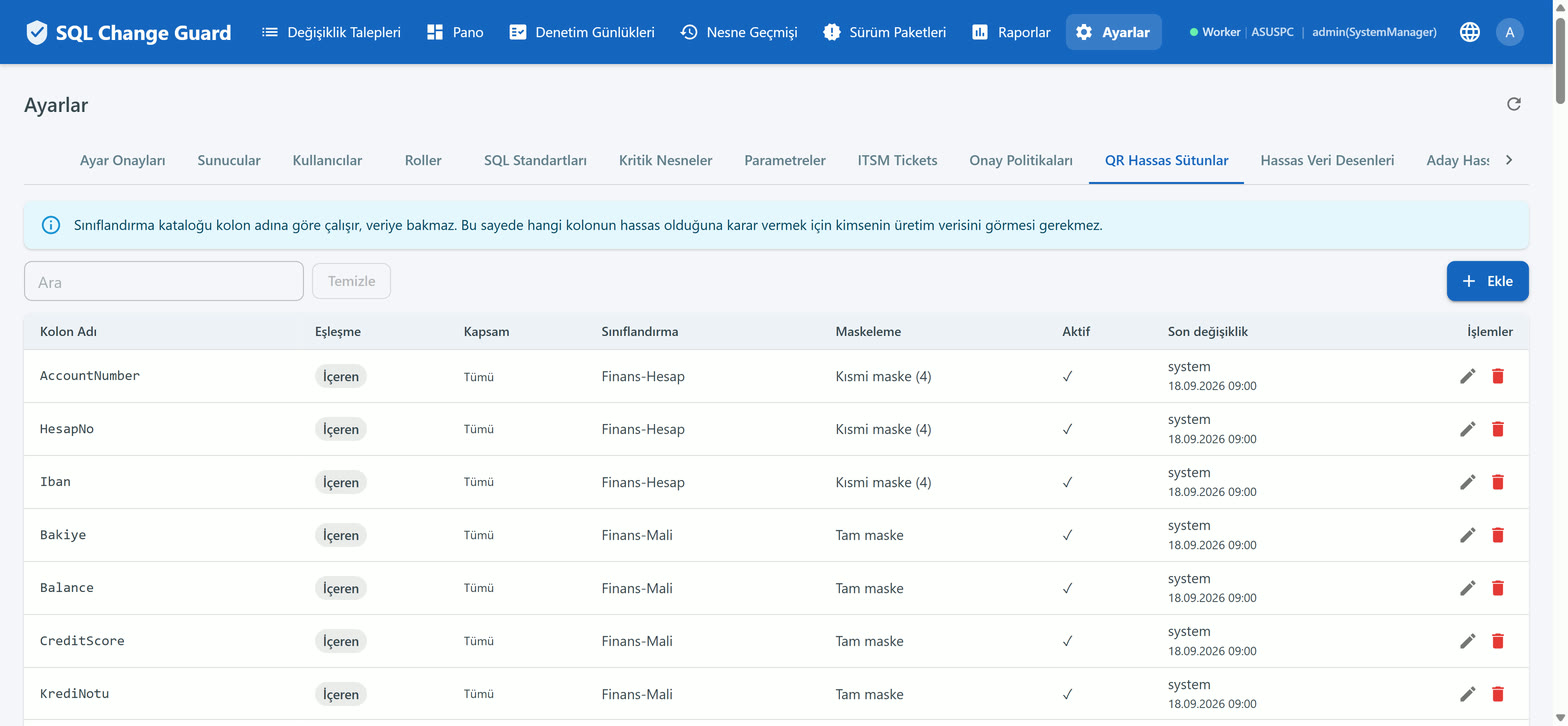
    The sensitive column catalogue never looks at production data

    The catalogue works on column names. Deciding which column is sensitive therefore never requires anyone to see production data. Full and partial masking are defined separately.
    SQL Change Guard ekran goruntusu.
    Step 1

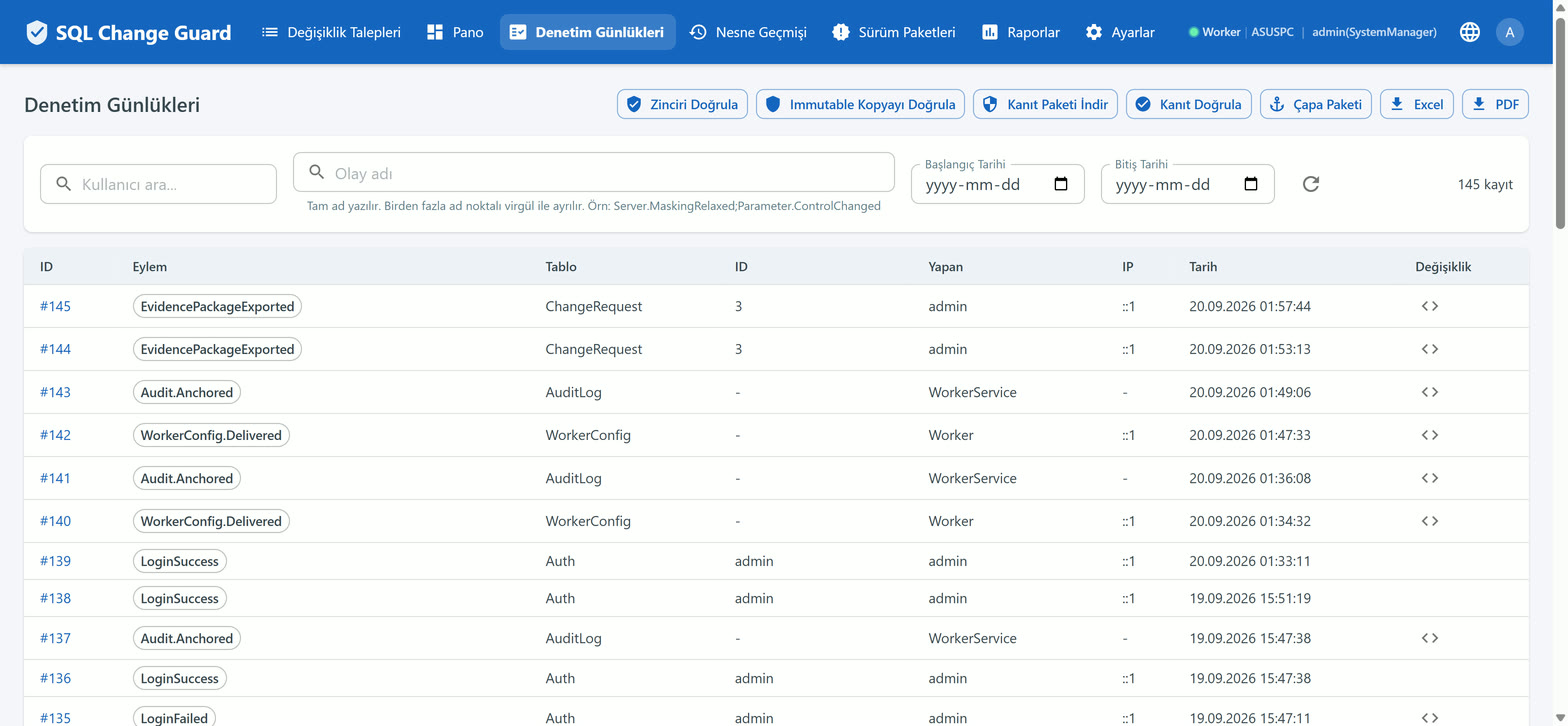
    Every event is written into a signed chain

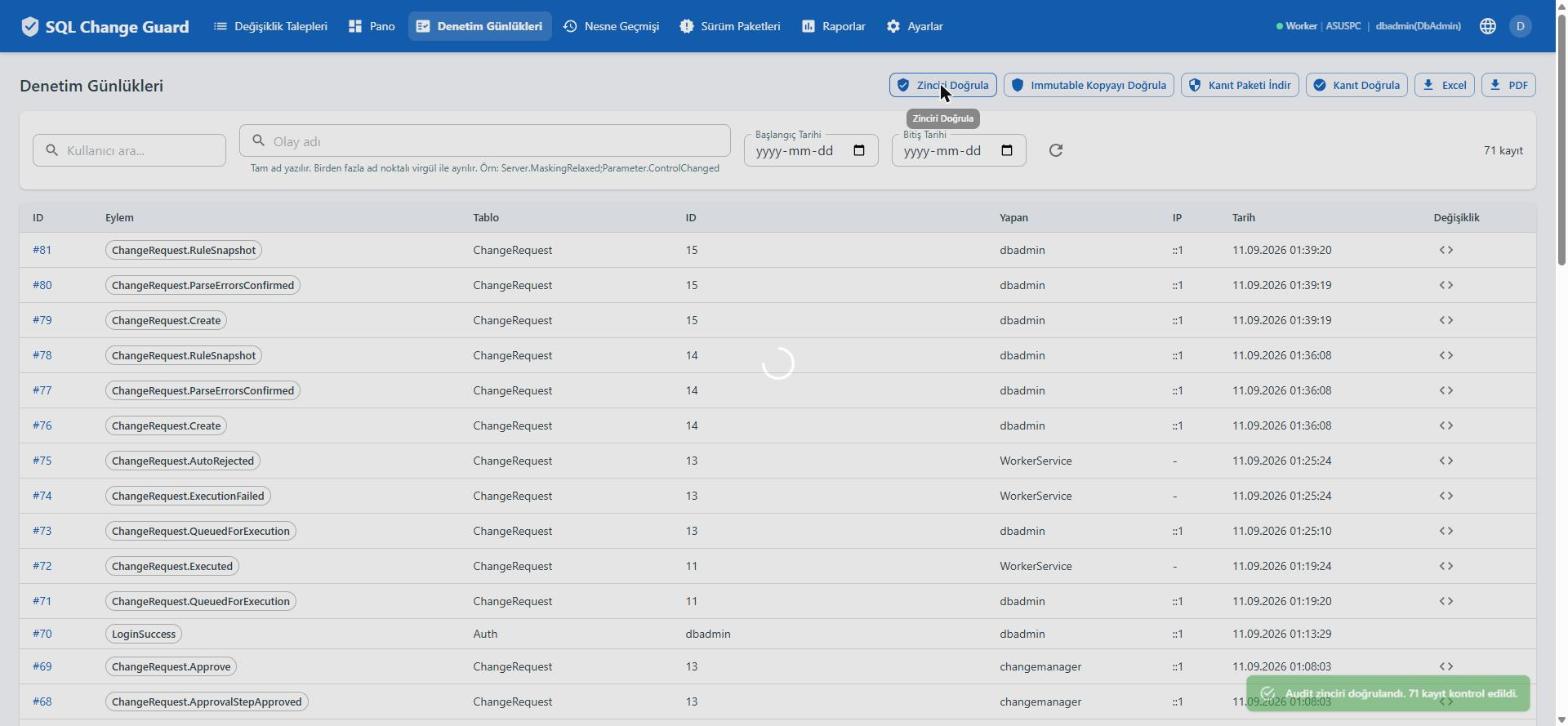
    Sign in, request, approval, execution, setting change and evidence download all sit in the same chain. The buttons above verify the chain and the sealed copy.

    SQL Change Guard ekran goruntusu.
    Step 2

    That the chain is unbroken is shown with a button press

    The question prove this record was not altered no longer rests on trusting the team that keeps it. How many records were checked is stated in the result.

    SQL Change Guard ekran goruntusu.
    Step 3

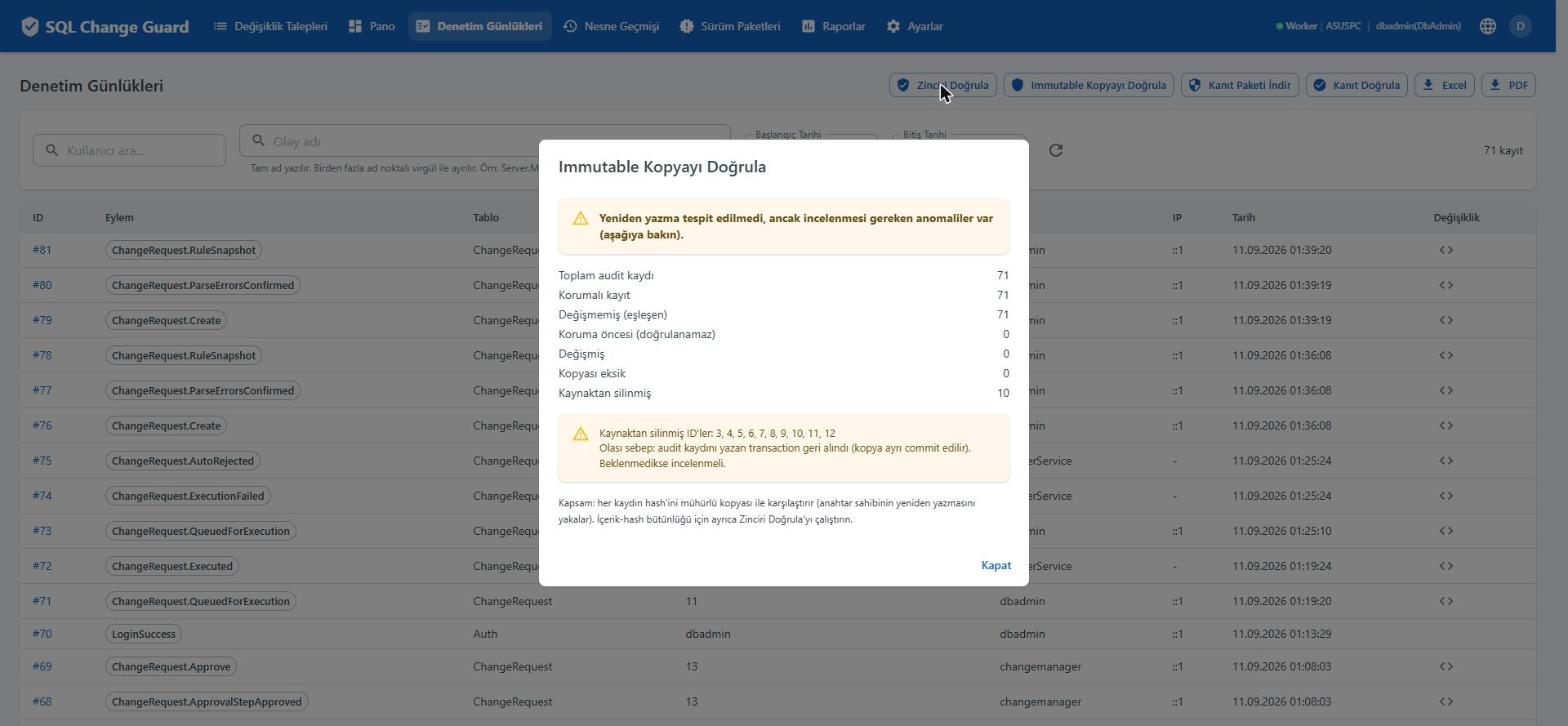
    Comparison against the sealed copy in a separate database

    The live version of each record is compared with its sealed copy in a separate database. The screen does not simply say green; if there is a difference worth looking at, it says so.

    SQL Change Guard ekran goruntusu.
    Step 4

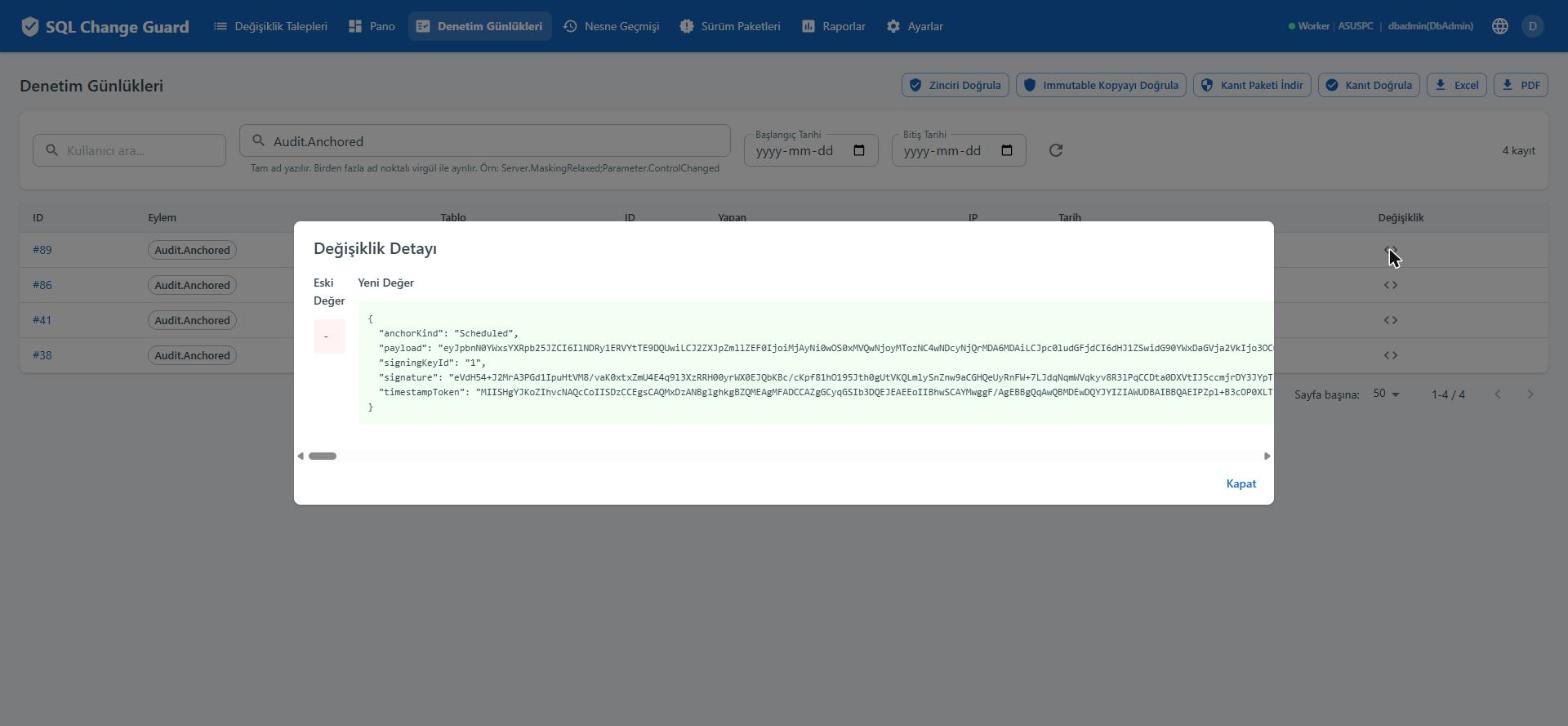
    The anchor: the chain as it stood that day, sealed to the outside

    At intervals the digest of the chain up to that point is signed and stamped by an external timestamp authority. The record is thus tied to a date independent of the product itself.

    SQL Change Guard ekran goruntusu.
    Step 5

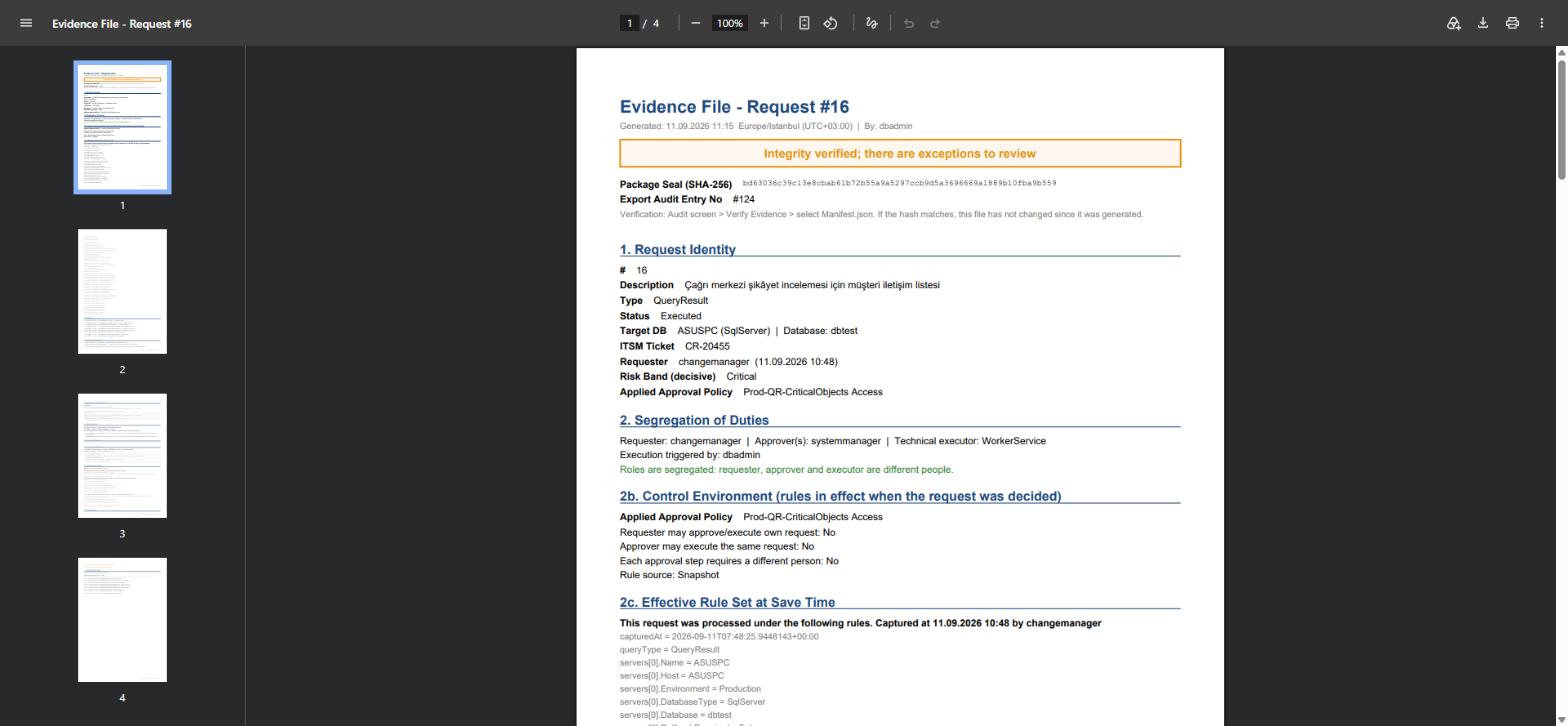
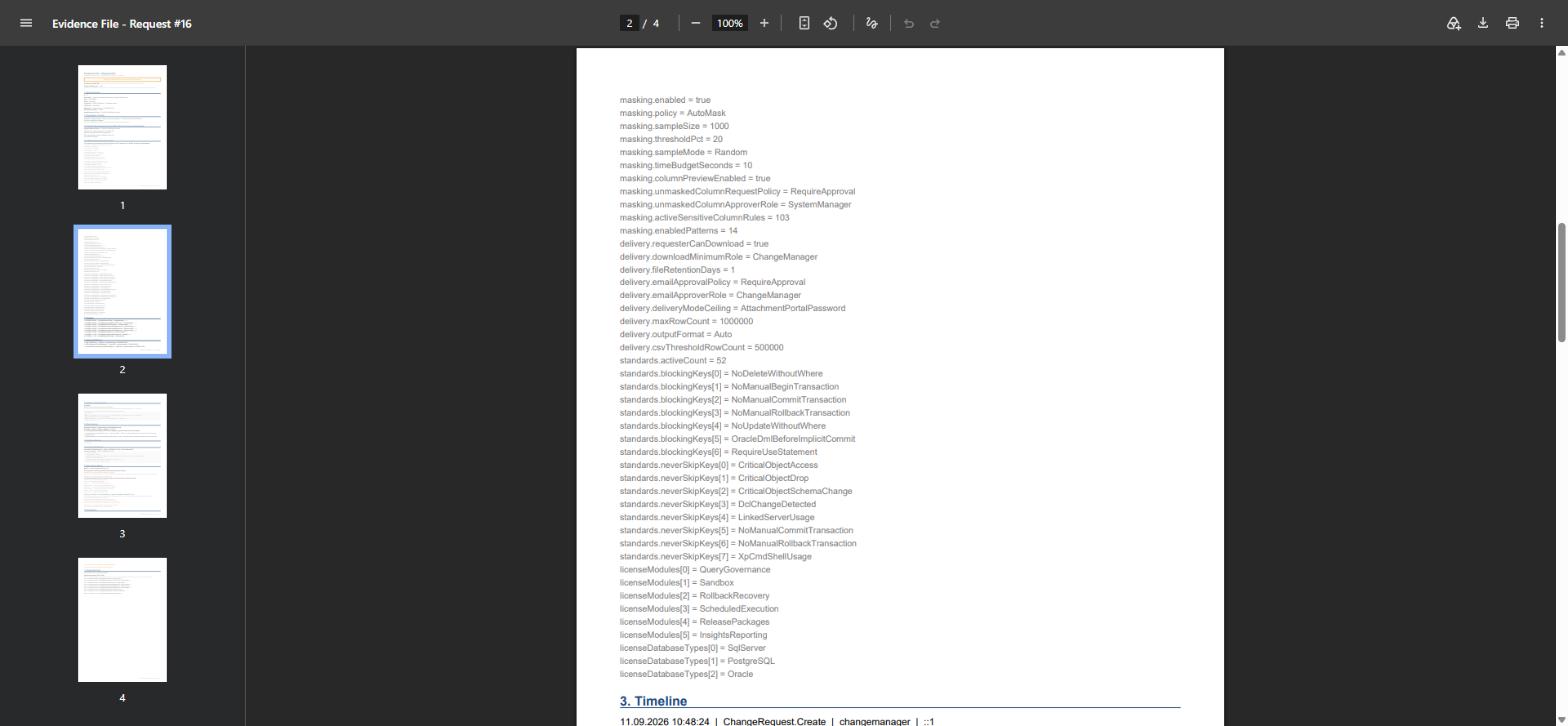
    One request's whole lifecycle in a single file

    Request identity, the segregation of duties assessment and the package seal are on the first page. If the roles were segregated it says so, and if they were not it says that too.

    SQL Change Guard ekran goruntusu.
    Step 6

    The rule set as it stood when the request was decided

    Masking settings, the number of active standards, the non skippable rules and the licence scope are frozen inside the file. Months later the decision is not explained with today's rule.

    SQL Change Guard ekran goruntusu.
    Step 7

    Script digest, risk and data access on one page

    Does the recorded hash match the current one, which finding set the band, which columns were masked and which one went out in the clear and on whose approval.

    SQL Change Guard ekran goruntusu.
    Step 8

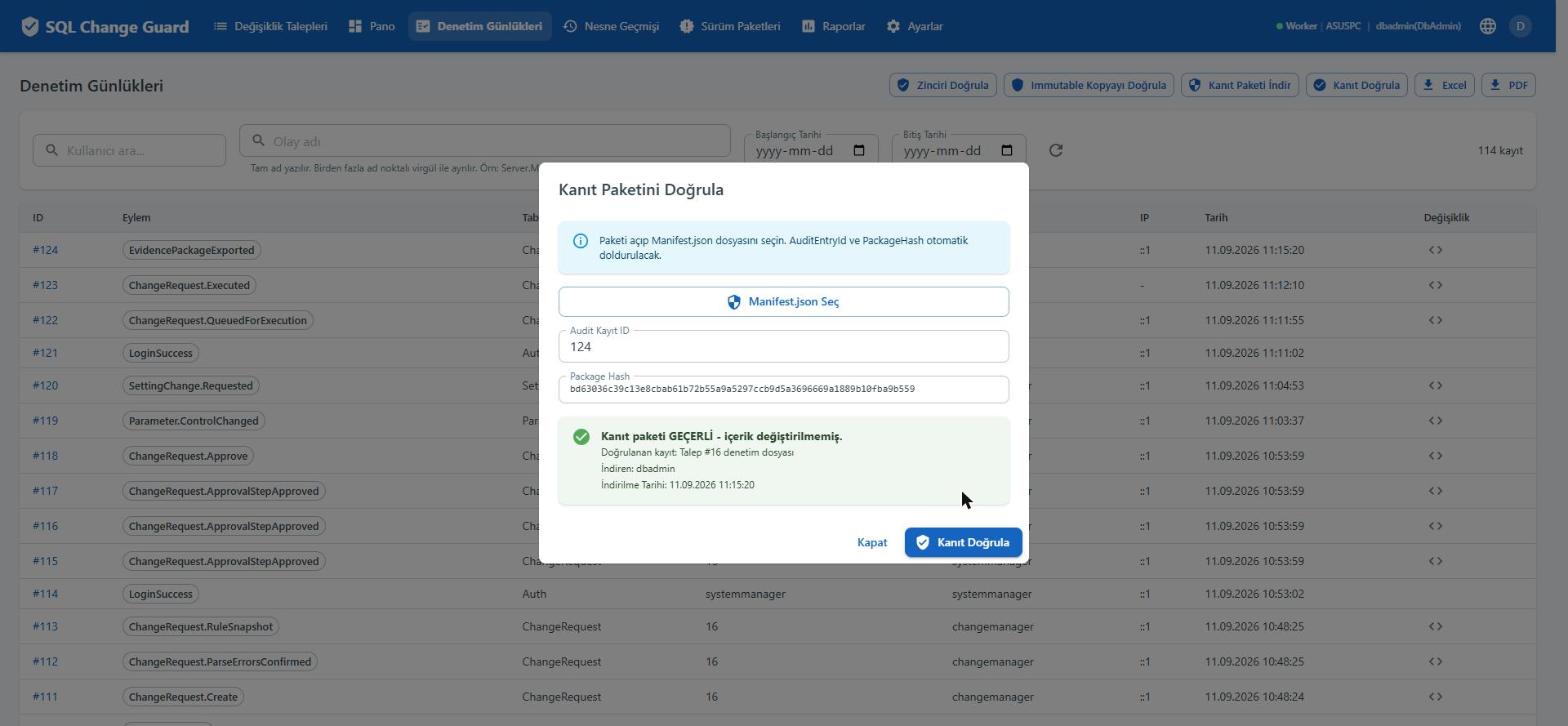
    The package is verified inside the product

    The auditor uploads the manifest from the package they hold. The product states that the package is valid, which request it belongs to and who downloaded it and when.

    SQL Change Guard ekran goruntusu.
    Step 9

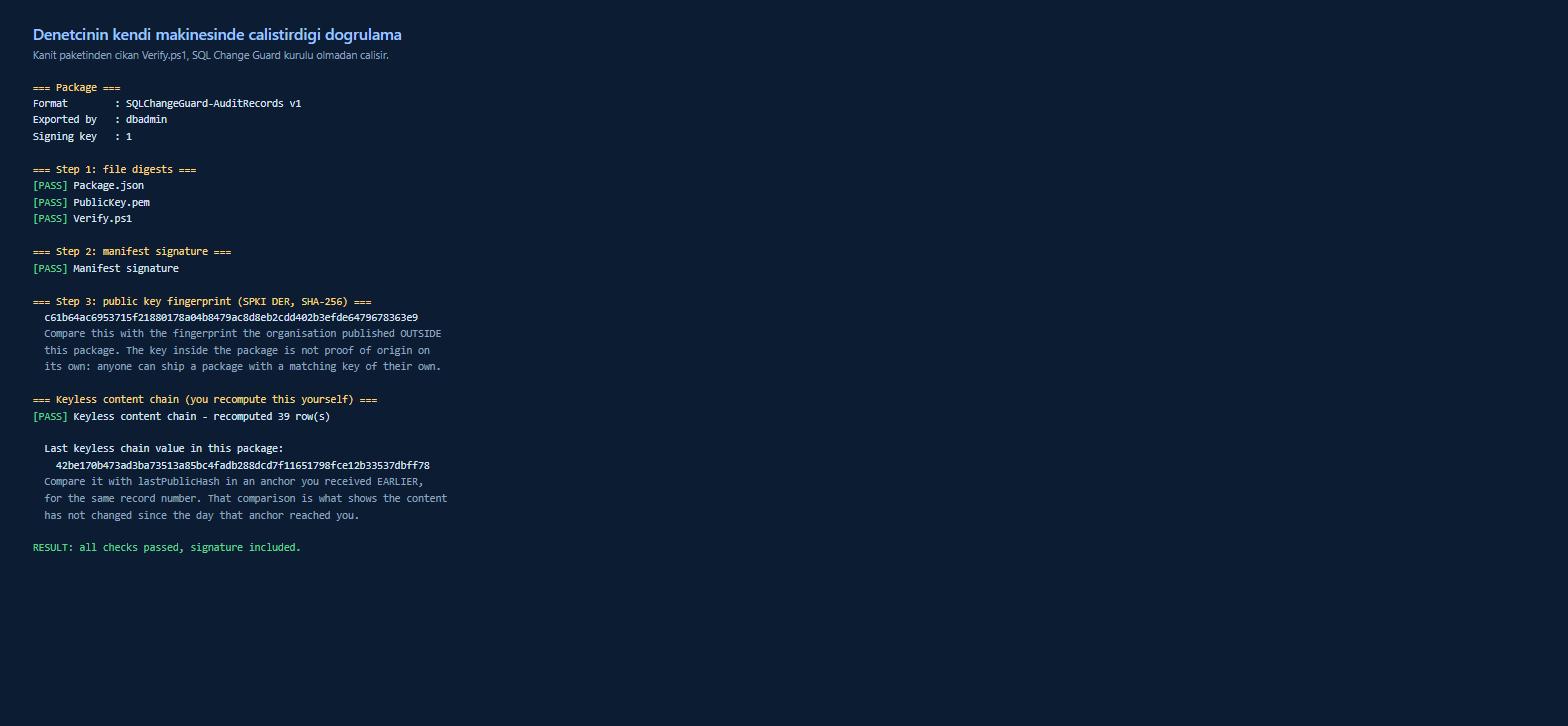
    It can also be verified without the product

    The script that comes inside the package runs on a machine with no SQL Change Guard installed. The auditor recomputes the file digests, the signature and the keyless content chain themselves.
    SQL Change Guard ekran goruntusu.
    Step 10

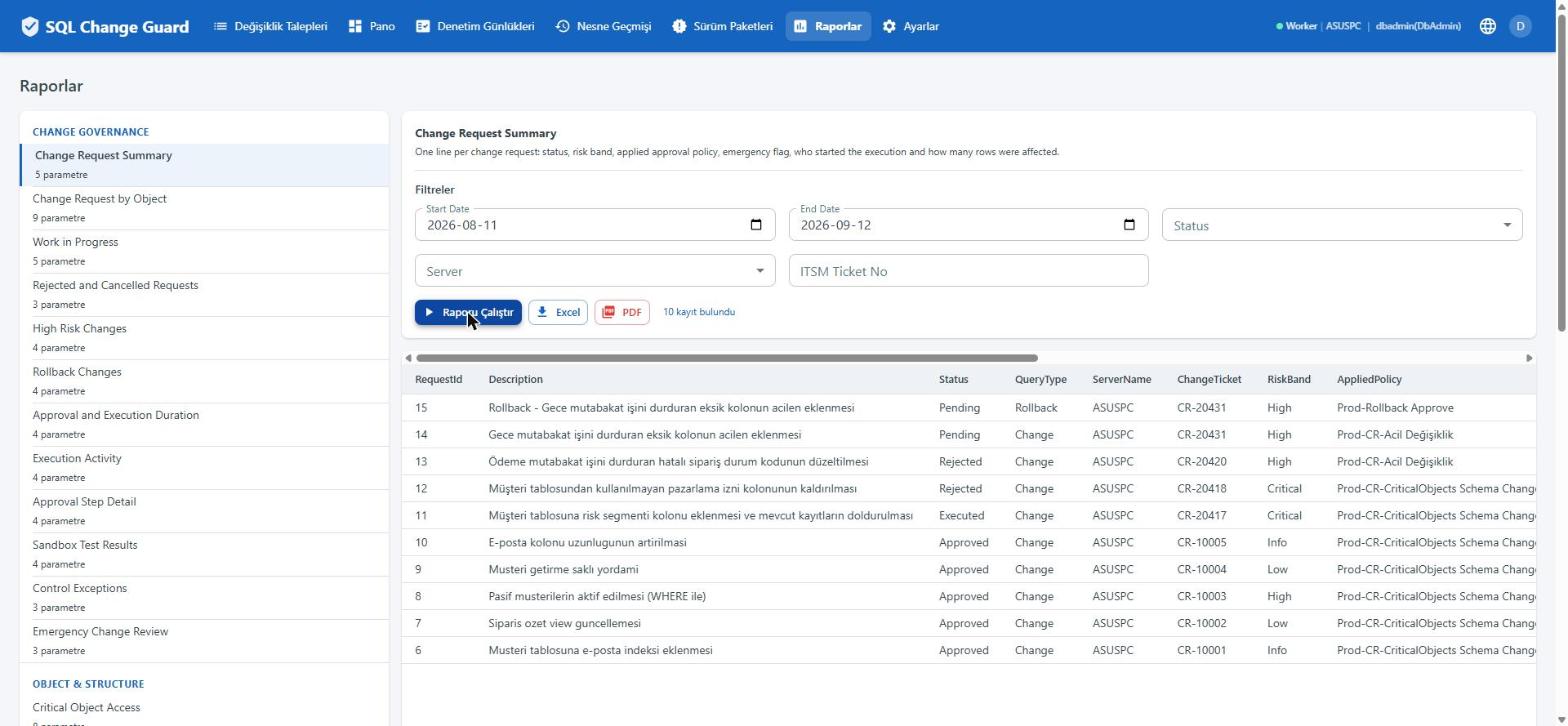
    The report is not prepared for the audit; it comes out of the work

    30 built in reports in five groups. Access, change, approval, exception and masking decisions, all filterable. Excel and PDF output sit next to every report.

    You have seen the screens. Now look at your own setup.

    If you read the "where it sits today" line at every step above, you have already asked the real question. What follows helps you answer it for your own organisation.

    5 minutes

    Self assessment

    Six questions, computed in your browser, no email required. Not a sales call.

    Measure yourself →
    PDF

    Sample evidence dossier

    One request's whole lifecycle in a single file. Real product output, not a mock-up.

    Download Dossier.pdf →
    Comparison

    Where your current tools end

    Ticketing, pipeline, monitoring and logs: what each keeps doing and what gets added.

    See the table →
    Live

    See it with your own scenario

    Let us talk through your own script and your own rule set. Screen share, thirty minutes.

    Book a call →

    If you would rather see every screen on one page, the gallery on the platform page holds all nineteen.